
Strategy ONE
Allowing the background of the Grid/Graph to show through a transparent title bar
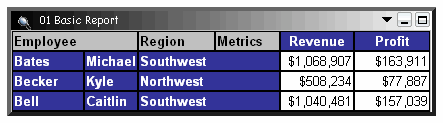
If you set the background of the title bar to transparent, the background fill of the Grid/Graph shows through. For example, note that the title bar in the following Grid/Graph is shaded, left to right, from black to white.
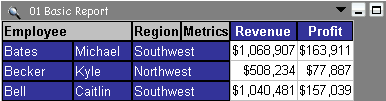
If you change the background of the title bar to Transparent and select a dark gray for the background of the Grid/Graph container, you can see the dark gray of the container at the right of the Grid/Graph, as well as in the title bar, in the sample below.
To use a transparent title bar for a Grid/Graph
-
In MicroStrategy Web, open the document in Design or Editable Mode.
-
Right-click the Grid/Graph and select Properties and Formatting. The Properties and Formatting dialog box opens.
-
If the title bar is not displayed on the Grid/Graph:
-
From the left, select General.
-
Select the Show Title Bar check box.
-
Click Apply.
-
-
From the left, click Colors and Lines.
-
In the list on the right, select Title.
-
From the Color drop-down list, select No Fill.
-
Click OK to return to the document.