
Strategy One
Generate a Refresh Token to Access Google BigQuery on Linux
-
Generate a confirmation code for Google BigQuery.
-
Connect to your Linux environment using SSH.
Click here if you are using Mac.-
Open the Terminal application.
-
Use the SSH command to connect to the hostname or IP address of your server.
- If prompted to confirm if you want continue, enter
yesand press Enter.
Click here if you are using Windows.-
Download and install the PuTTY application.
-
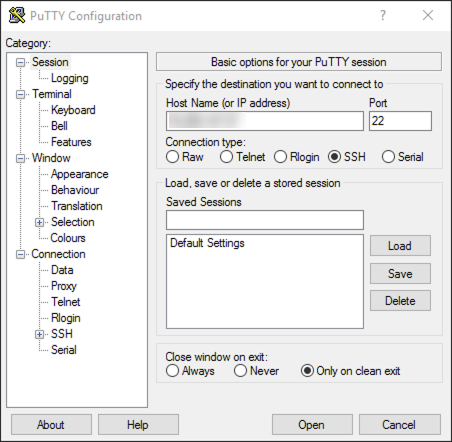
Open PuTTY.
-
Enter the hostname or IP address of your server and click Open.
-
If the PuTTY Security Alert dialog appears, click Yes.
-
- Enter your access password and press Enter. You are connected to the server via SSH.
-
Enter the following command followed by your confirmation code generated in step 1 and press Enter.
Copysh /opt/mstr/MicroStrategy/install/lib/get_refresh_token.sh -
Copy and paste the generated refresh token into your application.
The token is returned with a comma at the end. Do not copy the comma.