
Strategy One
Time Attributes in Mosaic Model Links
Starting in Strategy One (January 2026), you can link Mosaic models and when importing external tables, the corresponding time attributes import, as well. The imported time attributes support the same functions as time enrichment attributes.
Create Linked Time Attributes from the Suggestions Panel
Time attributes from linked models do not display in the Suggestion panel, they are automatically created from base attributes in linked models. To create these attribute links using suggestions:
-
Click Prep and Model.
-
Click Models.
-
Click Suggestions.
Linking suggestions display as dashed lines.
-
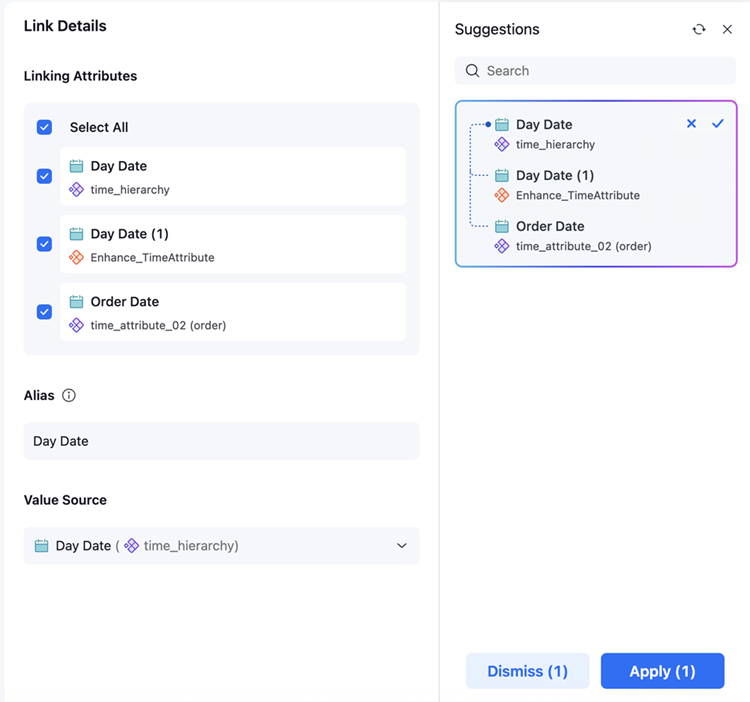
Click an attribute with a suggested link.
-
The following link details display:
-
Linking Attributes: List of detected attributes that should be linked.
To edit the list of attributes to link, select the check box next to the attribute.
-
Attribute Alias: The attribute name that displays in the model and dashboard.
To edit this value, click the text box, type a new name, and press Enter.
-
Value Source: The lookup table for the linked attribute.
To edit this value, expand the drop-down list and choose a new model.
-
-
Click Apply.
A list of time attributes generates based on the linked model's time attributes.
-
Click Save.
View Link Time Attributes
-
Click Manage Links.
-
Hover over an attribute and click Edit
 .
. -
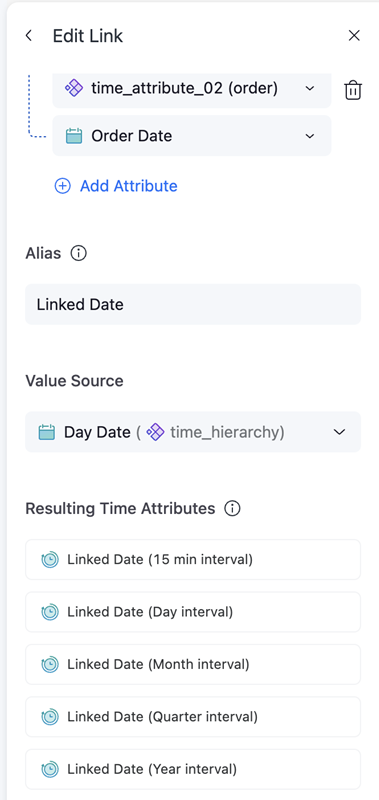
View the applied time attributes under Resulting Time Attributes.
-
Close out of the attribute.
Linked Attributes Updates
The following scenarios will occur when updating time attributes in linked models.
Remove Time Attributes
If you edit an attribute and remove all of the time attributes, there is no common time attributes and only the linked attribute displays.
Confirm Updates
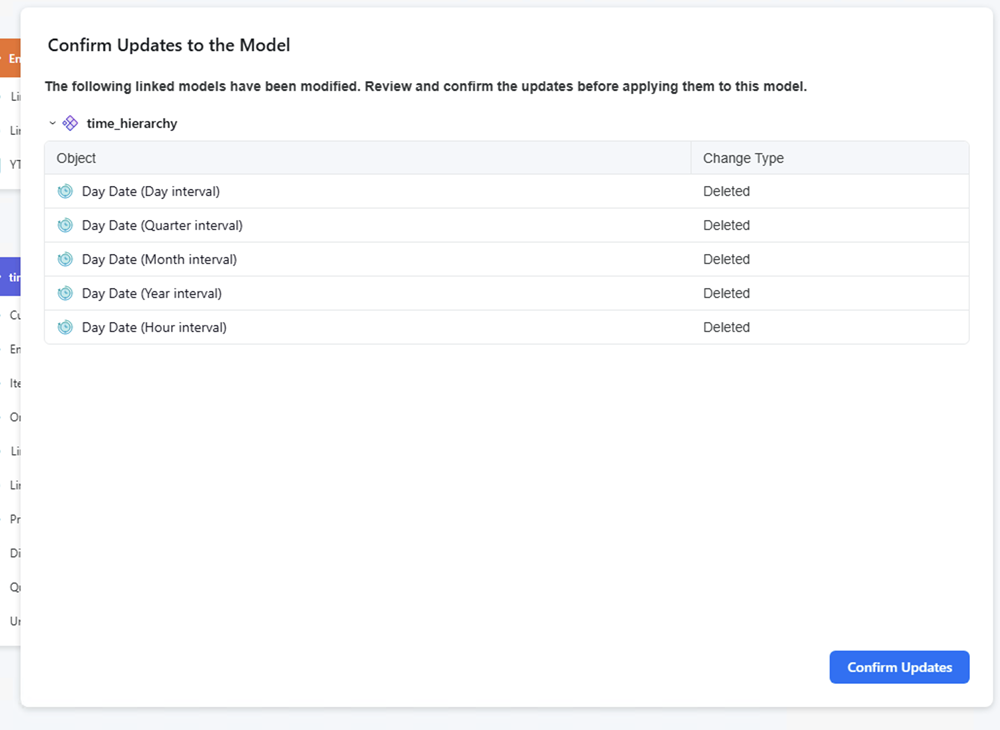
After editing attributes to remove or add an external model, when you open the linked model an update confirmation displays.
Previous Period Metrics in Linked Models
-
Existing previous period functions brought in from individual models to a linked model continue to work for basic aggregation functions such as Sum, Count, Average, and Max. For example, PreviousYear(order_date@[order_date], 1, Sum(qty_sold){~+}).
-
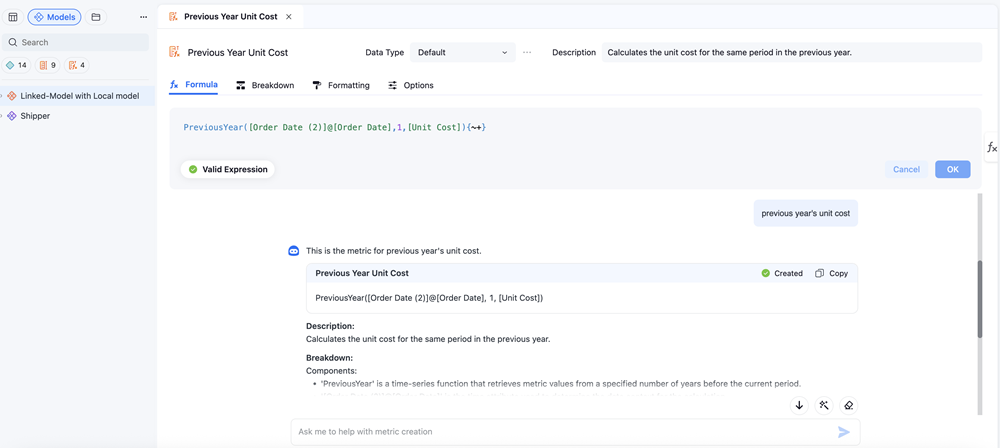
Users can use Auto Metric to create a previous period function within a linked model against a local model, but not an external model.
See the following image that displays the use of previous period metrics in a local model:
See the following image that displays the use of previous period metric in an external model:
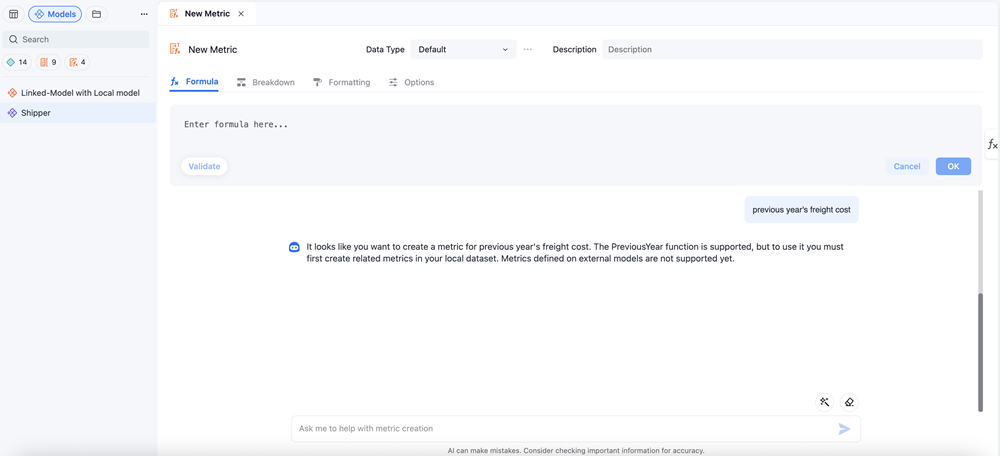
-
Previous period metrics can be used with time attribute intervals on the same grid if the time period attribute is Day level or above (for example, Shipping Date (Day interval), Shipping Date (Month interval), Shipping Date (Quarter interval), and Shipping Date (Year interval)). Previous period functions will not work if used on a grid with a base time attribute or time interval attribute below Day level (for example, Shipping Date, Shipping Date (15 min interval), Shipping Date (30 min interval), Shipping Date (Hour interval)).
-
Metric filters at the dataset level and attribute sets on metric filters that are present on a dashboard with time transformation metrics is not supported yet.
-
Derived transformation metrics in dashboards with linked models is not supported.