
Strategy One
Control Access to Projects
Strategy One (December 2025) updates the security role interface.
Administrators can change the security role of a user or user group to allow or deny access to the project.
- Open the Workstation window.
-
In the Navigation pane, click Users
- Select an Environment from the upper-left drop-down list.
- To update a user group instead of a user, click User Groups,
- Right-click the user or group to add the security role to, and select Roles and Privileges.
If you are using a version prior to Strategy One (December 2025), double-click the user or group to edit it, then click Project Access & Roles on the left.
-
For each project, select the security role from the ROLE drop-down list above the project.
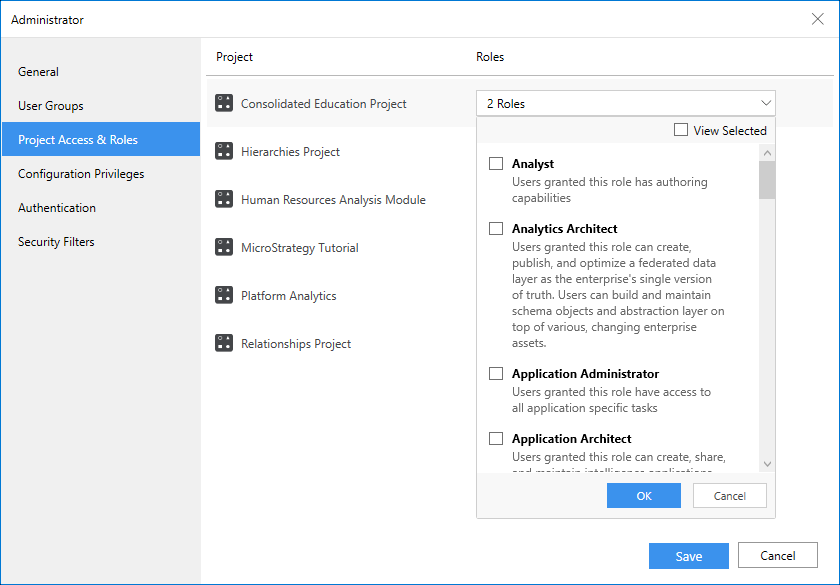
To edit a role, hover over the role in the list and click Edit
 .
. - Click Save.