
Strategy ONE
Enable the MCP Server
Enable the MCP server before connecting MCP clients to it for interaction with agents.
-
Once your environment is ready, open Workstation.
-
In the navigation bar on the left, click Environments, if it is not already open.
-
Double-click your environment to connect.
-
Right-click your environment and select Properties.
-
In the navigation bar on the left, click Library.
-
Click Create Trusted Relationship.
-
Scroll to the Cookies section.
-
For SameSite Attribute, select None. Enable HTTP Only and Enable Secure are then selected automatically.
-
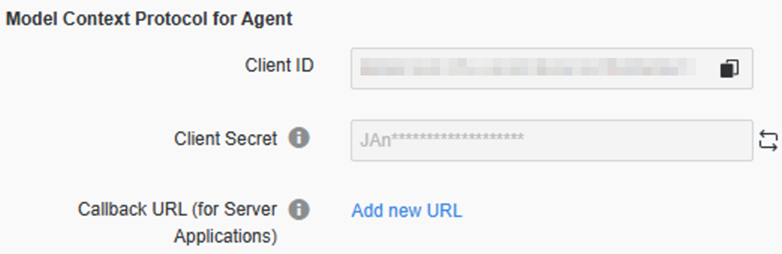
Scroll to the Model Context Protocol for Agent section.
-
Generate the client secret by clicking the icon
 next to the Client Secret box.
 -
Copy and save the Client Secret, which is used in the MCP client configuration.
-
Click OK to save your changes.
-
Restart the Library server to apply the changes.