
Strategy One
Cluster Multiple SDS Agents
The following functionality is only available for MCE container environments.
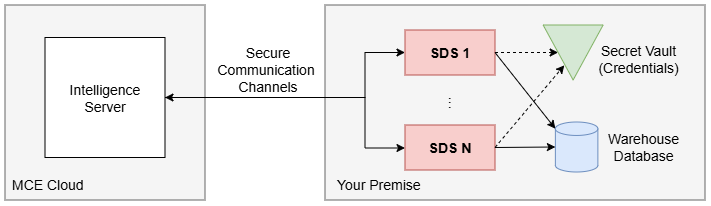
SDS performance may result in high CPU or memory utilization. When high CPU or memory usage occurs, you should allocate additional CPU resources to the SDS host. To scale resources conveniently and minimize downtime for existing workloads, add one or more SDS agents, cluster them together, and run each agent on a separate host machine within your MCE environment.
Prerequisites
-
All SDS agents use the same deployment method. For example, if the first agents is deployed with the Linux installer, then all remaining agents must also use the Linux installer.
-
Use Deploy SDS to connect to your SDS agent.
-
Each agent meets at least the minimum CPU, memory, and disk space requirements for the chosen deployment method in its respective documentation.
-
All SDS agents use identical CPU, memory, and disk specifications to ensure a consistent and balanced cluster.
-
All SDS agents are successfully connected to your MCE environment and enabled.
Configure Clusters on SDS Agent
To cluster your SDS agents, perform the following on any single SDS agent:
-
Using a web browser, open SDS using
http://<sds-agent-host>:8080/orhttps://<sds-agent-host>:8443/. If you updated the default SDS ports during setup, replace8080and8443with the port numbers you configured. -
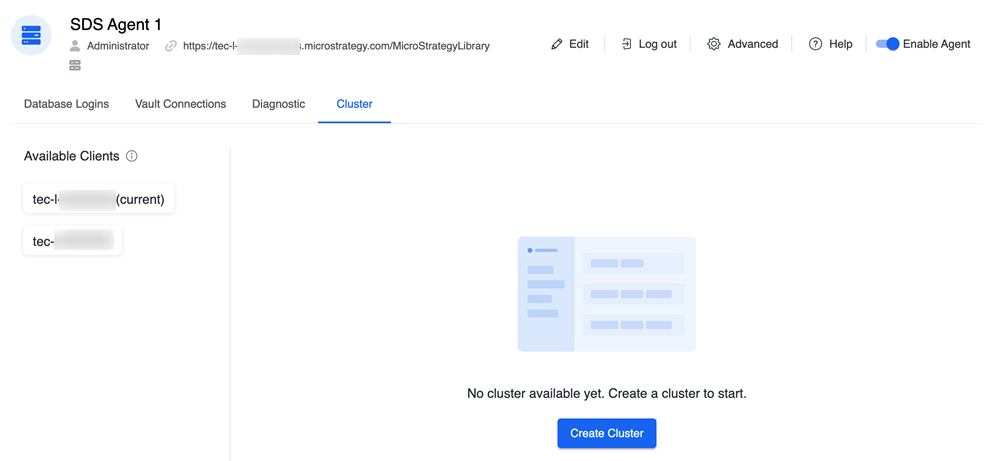
Open the Cluster tab.
SDS agents display in the Available Clients pane.
-
In the right pane, click Create Cluster.
-
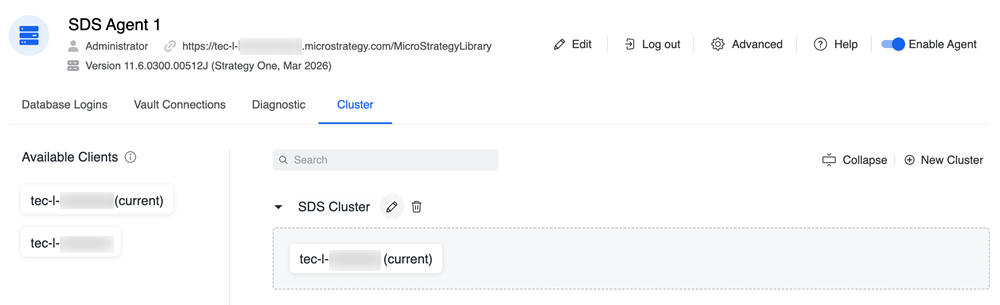
Click Edit, type a new name for your cluster, and press
Enter.Note this name as you will need to use it when configuring your database connection in Workstation.
-
Expand the drop-down next to your cluster name.
-
Click and drag each SDS agent you wish to add from the Available Clients pane to the Cluster pane.
Configure Clustering on the Intelligence Server
To enable the Intelligence server to use an SDS agent cluster to connect to your on-premises warehouse database, see Configure Intelligence Server-to-SDS Connection in Workstation.
Note the following when configuring the connection in Workstation:
-
When creating a database connection, in the Gateway Agent drop-down list, choose the SDS cluster name you created above.
-
The Gateway Agent drop-down list includes the individual SDS agent and clusters. SDS clusters have a
clusterName (cluster)naming format. Select the entry with this format to use the SDS cluster.