Strategy One
Cloud Native Backup and Restore for AWS, Azure, and Google Cloud Platform
Strategy One (April 2026) adds native backup and restore support for Azure environments.
Strategy One (February 2026) adds native backup and restore support for AWS environments.
Starting in Strategy One (January 2026), you can configure and operate the MCE container on the Google Cloud Platform (GCP) to native backup and restore. Use the following process to reduce storage costs, reduce recovery downtime, manage large datasets, and improve backup result reports.
Prerequisites
-
You must have backup permissions on the MCE container console.
-
The MCE Container service is deployed and running.
-
The container infrastructure is upgraded to Strategy One (January 2026).
Backup and Restore
-
Login to the Strategy Cloud Console.
-
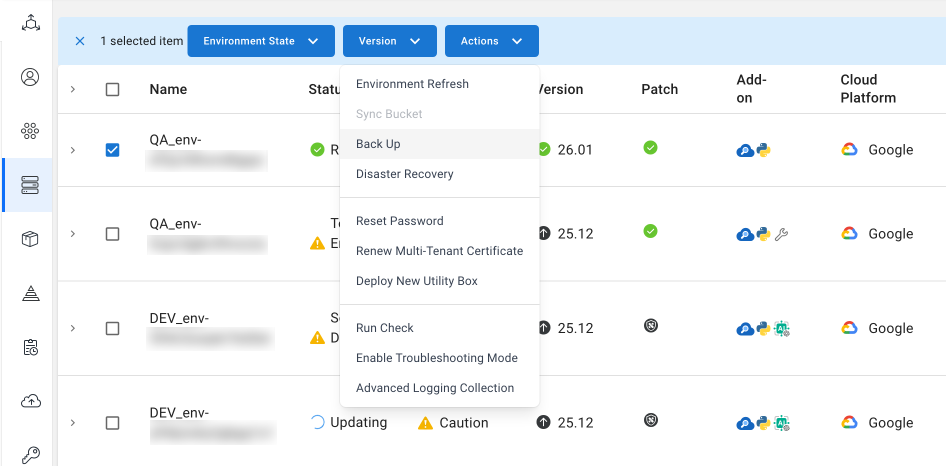
Select the check box next to the environment you want to back up in the environment list.
-
At the top of the grid, expand the Actions drop-down list and choose Back Up.
-
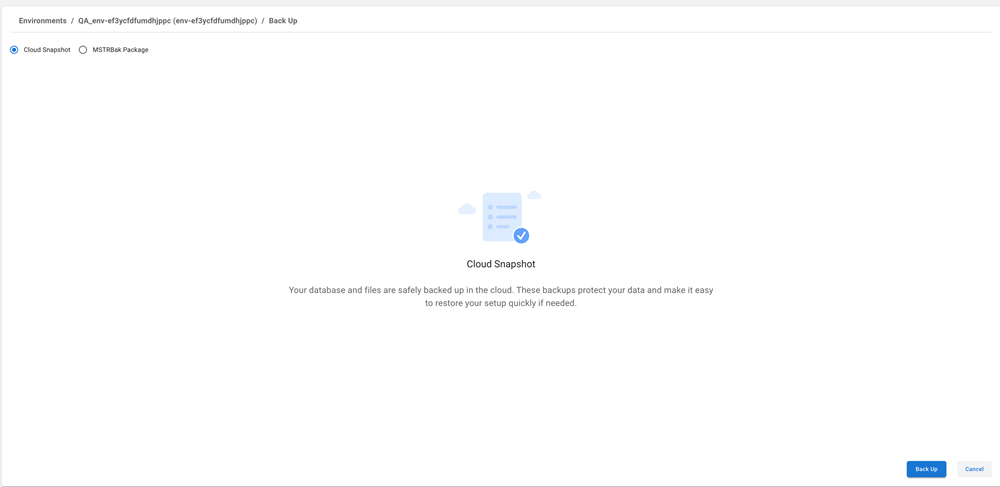
Select Cloud Snapshot.
-
Click Back Up.
-
To view the backup status, click the Backup and Recovery tab.
-
In the top right of the environment list, click Create.

-
Enter values in the required fields.
-
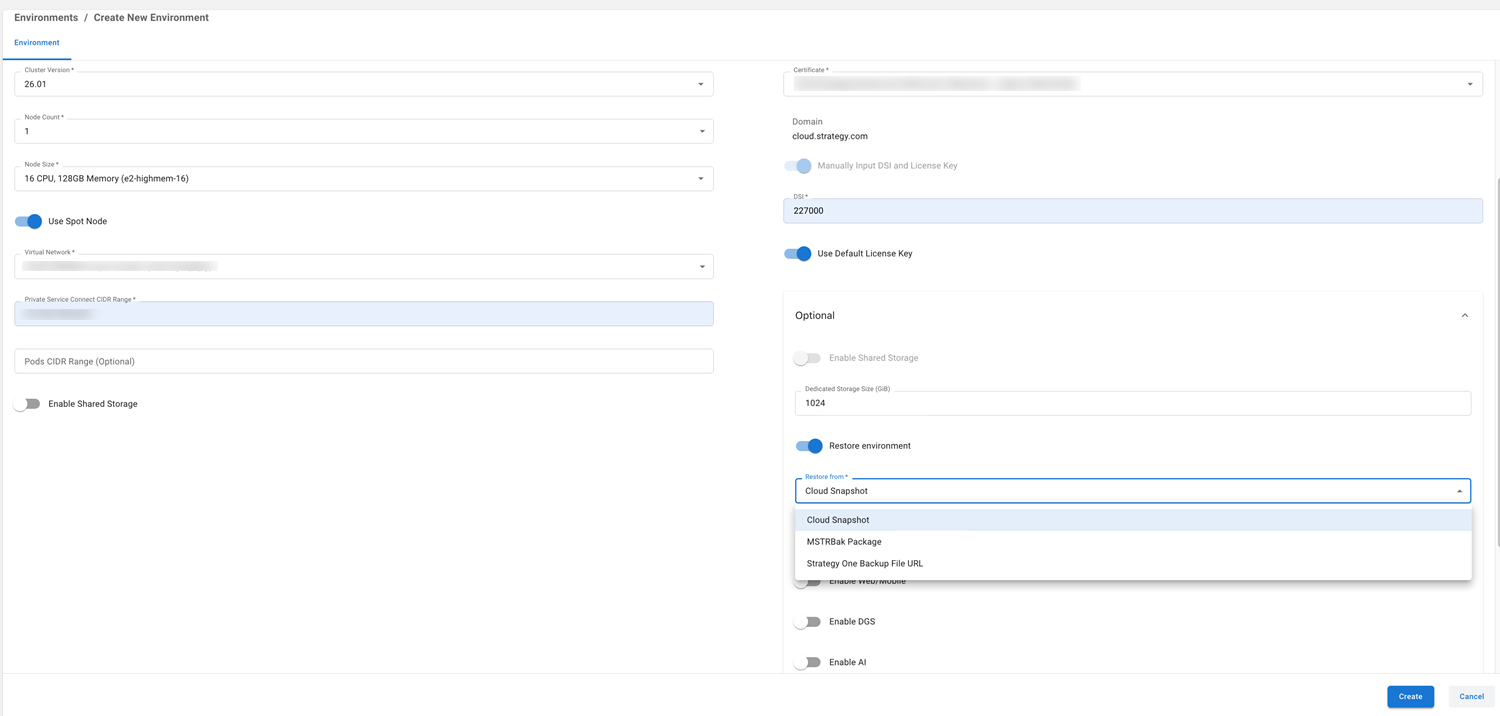
Under Optional, toggle on Restore environment.
-
Expand the Restore from drop-down list and choose Cloud Snapshot.
-
Select the snapshot backup you created above.
Snapshot backups save for 30 days.
-
Click Next.
-
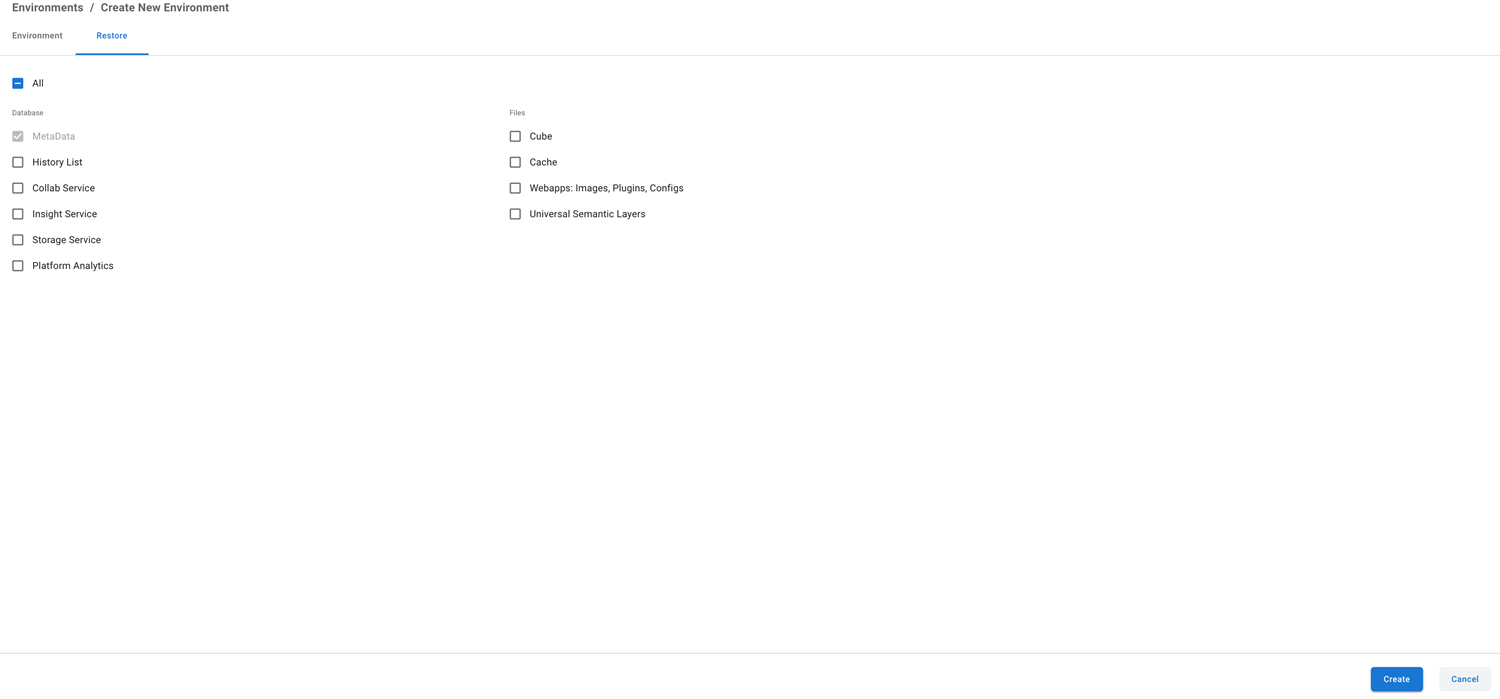
In the Restore tab, select the check box next to the components you want to include.
-
Click Create.
High Level Architecture Diagram
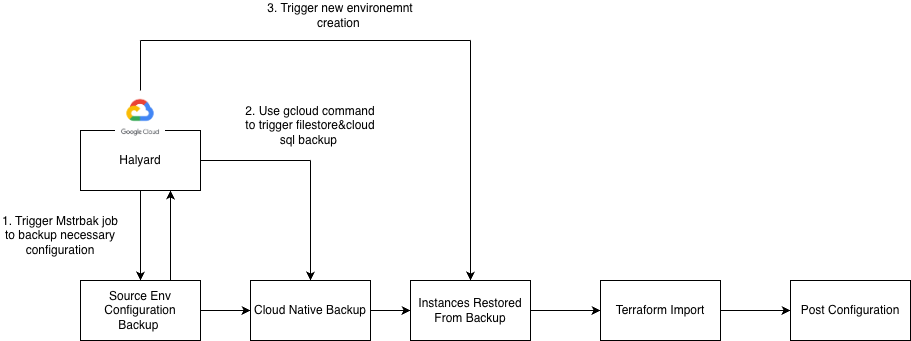
See the following backup and restore high level architecture for GCP between clusters:

Cloud Native Backup and Restore Workflow
See the following backup and restore specific workflow diagram for GCP: