
Strategy One
Replace Datasets in a Report
Starting in Strategy One (December 2025), you can replace datasets in reports using Intelligent cubes.
-
On the Library homepage, open the report you want to edit.
-
In the Objects panel, select More Options and click Replace Cube...
-
A prompt displays to select an existing dataset.
-
After making the selection, a prompt will display to replace, remove or keep objects currently used in the grid.
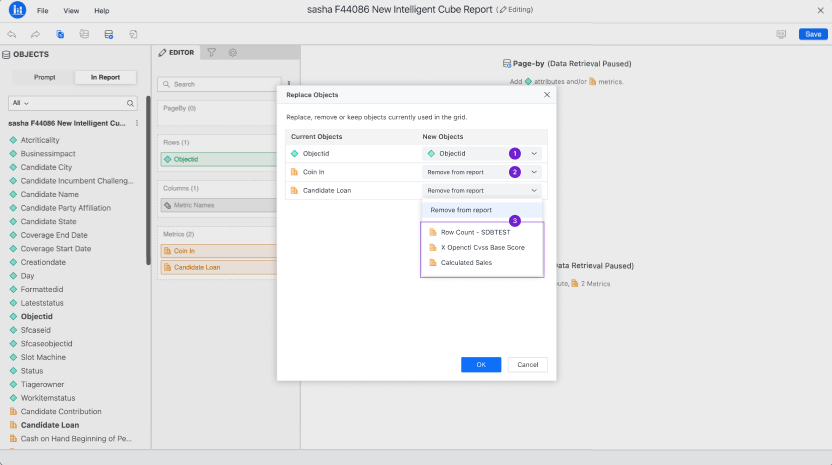
An error message will display if there are differing objects between the two datasets. You must choose whether to replace or remove the objects.
-
Click OK after making your selections. You will now see the updated dataset.