
Strategy One
Introduction to HyperIntelligence
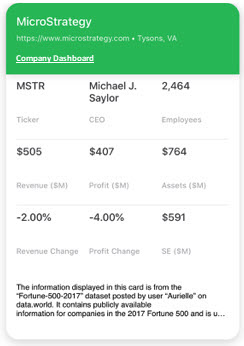
HyperIntelligence allows analysts to create objects called cards.
Cards are visual representations of your data. In a card, you can use lists, matrix grids, ring charts, or text boxes to display your data in a quick and concise manner. Use an attribute from your data to serve as the keyword attribute, the attribute that identifies the elements that will trigger a card to appear.
After creating cards in Workstation, analysts can deploy their cards to a user's web browser, mobile device, and Microsoft Outlook. Users can then get real-time answers by hovering over keywords in a web browser, scanning a barcode on a mobile device, or clicking on an email to see relevant cards.
To get started using HyperIntelligence, see the basic workflow below:
- View the Prerequisites for Using HyperIntelligence.
-
- You can use Workstation or, starting in Strategy One (April 2026), Library to create and edit cards.
- View and edit card properties and security.
- View cards on HyperIntelligence for Web, HyperIntelligence for Mobile, or HyperIntelligence for Office.