Strategy One
Connect via DSN-less (Driver)
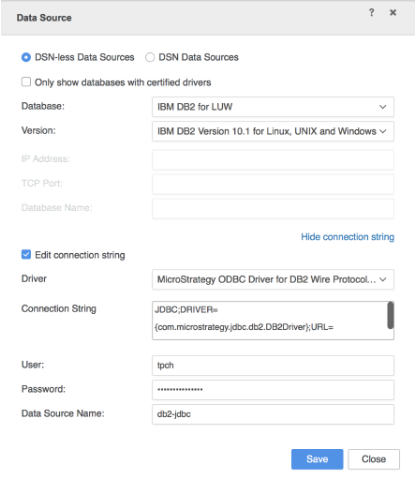
DSN-less connections to Db2 are supported via MicroStrategy Developer and via Data Import in MicroStrategy Web and Workstation.
DSN-less connection is supported for both ODBC drivers and JDBC drivers, while JDBC only supports DSN-less connection.
Configure DSN-less connection via Developer
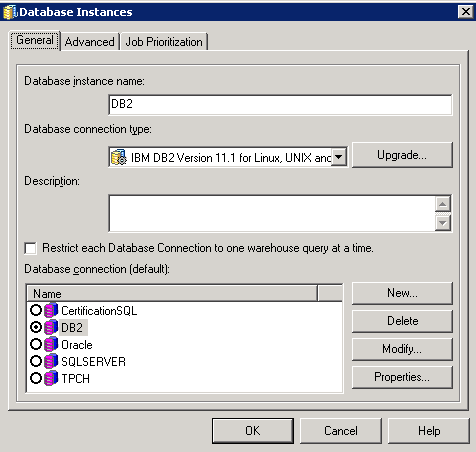
- Create a new database Instance.
-
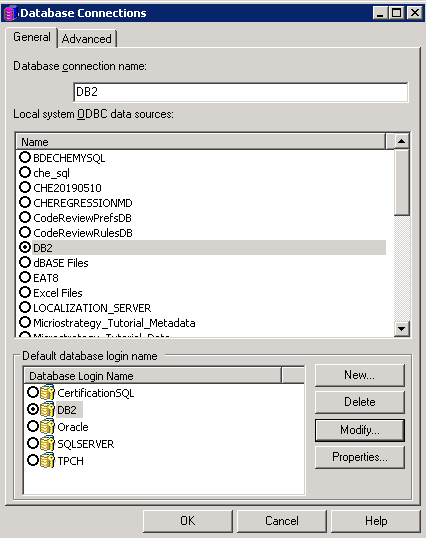
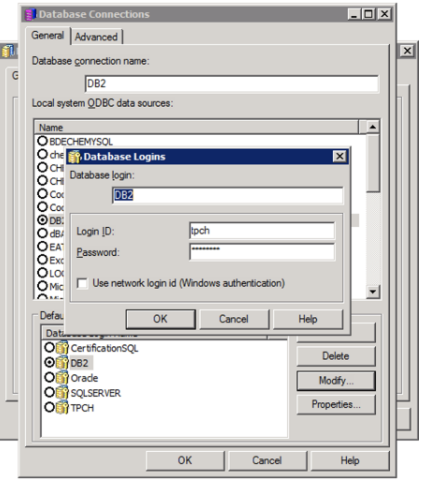
Create a new database connection, and do not choose any Local System ODBC data sources.
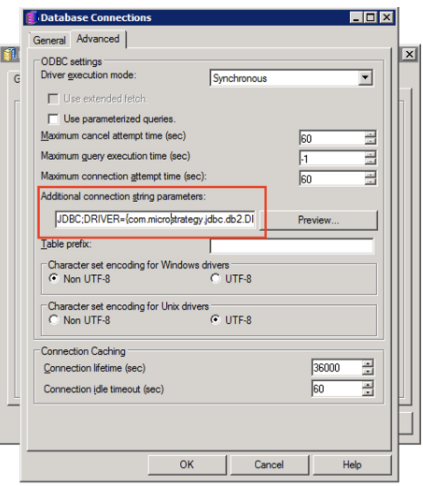
- Click the Advanced tab and enter your connection string under Additional connection parameters.
The connection string can be an ODBC string or JDBC string. The image below shows a JDBC connection.
- Configure and store credentials for log in.
Configure ODBC DSN-less connection via MicroStrategy Web or Workstation
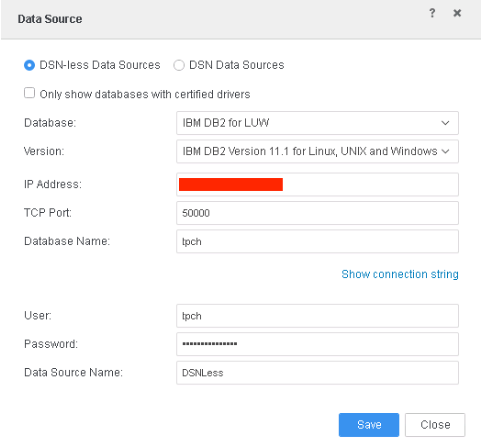
Configure JDBC DSN-less connection via MicroStrategy Web or Workstation
The JDBC driver is supported on all platforms on Mac/Windows/Linux. The configuration is the same as shown above for the DNS-less ODBC driver. From an end-user perspective, there is no difference between an ODBC and JDBC driver.
JDBC only supports DSN-less connection. On a Mac, you can only access data through a JDBC driver.