
Strategy One
Disable and Enable Drivers
Strategy relies on drivers to connect to data sources, which provide data for analytics. The Gateways panel allows Administrators to disable drivers with vulnerabilities.
Disable and Enable Drivers from the Gateway List
- Open the Workstation window with the Navigation pane in smart mode.
- In the Navigation pane, click Data sources.
- Click the Gateways tab.
-
Select an environment from the drop-down list.
-
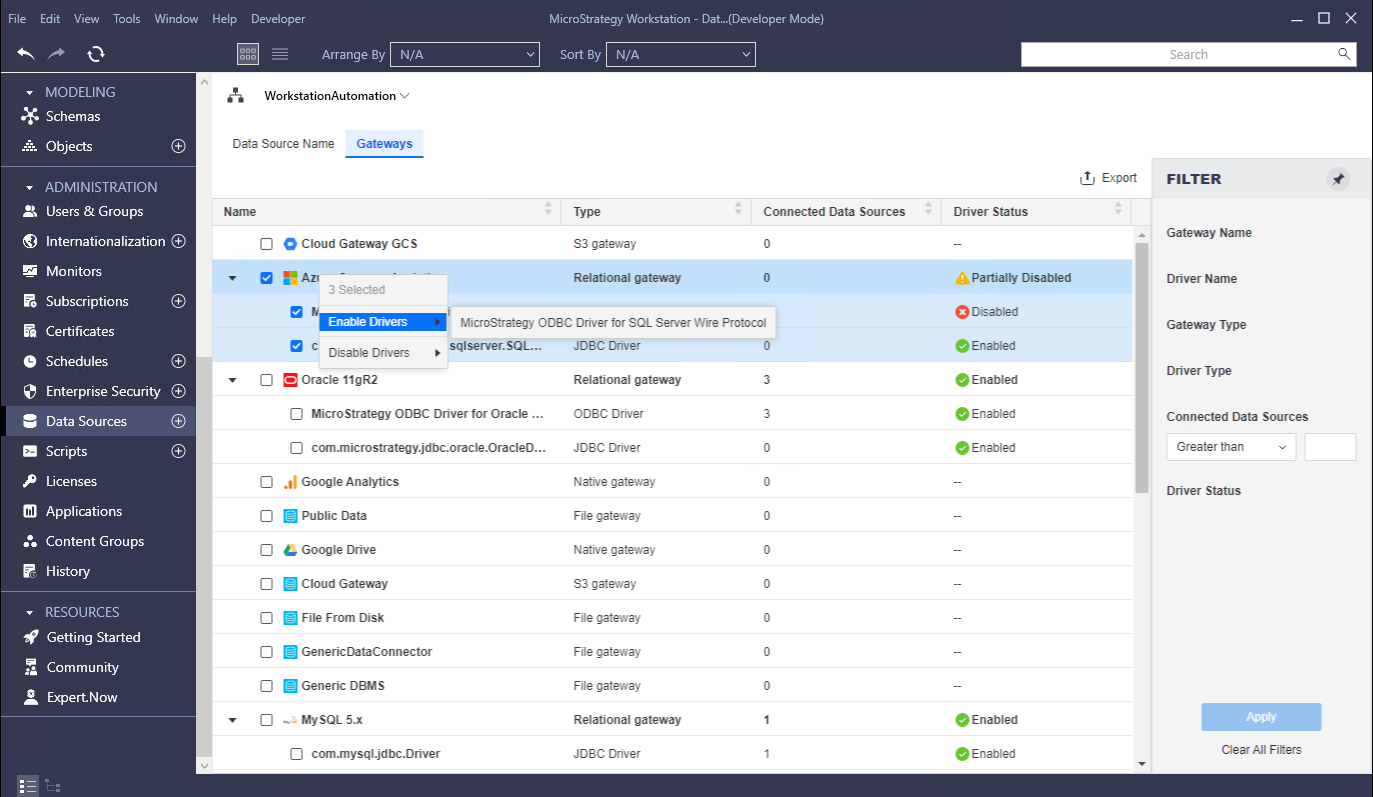
To view information about a gateway's drivers, expand the gateway.
- Select the check box next to the gateways or drivers that you want to manage.
- Right-click the section, point to Disable Drivers or Enable Drivers, and select the driver(s).
Disable and Enable Drivers from the Properties window
- Open the Workstation window with the Navigation pane in smart mode.
- In the Navigation pane, click Data sources.
- Click the Gateways tab.
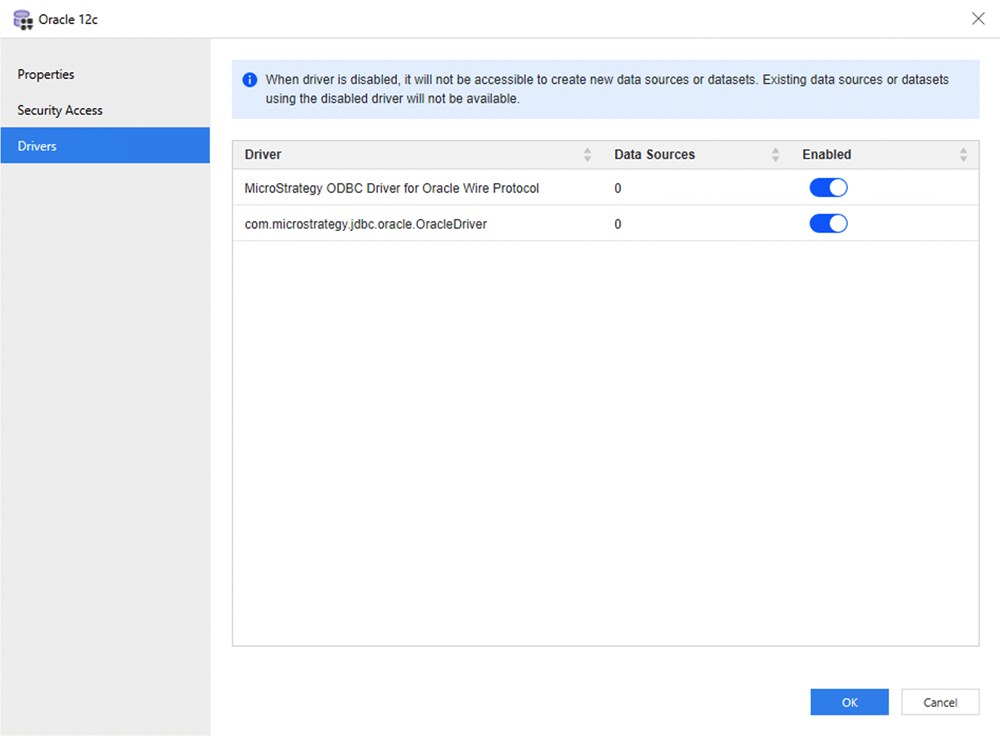
- Right-click a gateway and choose Properties.
- In the left pane, click Drivers.
- Toggle to enable or disable the driver.
- Click OK to save the changes.
- Check the results in the Gateway list.
Expected Behavior if a Driver is Disabled
Create a Data Source
If a user adds or chooses a database connection with one disabled driver in the Add Data Source or Edit Data Source window, a warning message displays that indicates an associated driver is disabled. The following warning messages can display:
- This driver has been disabled
- This Database connection is using a disabled driver
Fetch Data
When fetching data based on a disabled driver, a "Driver 'xxx' is disabled in the environment. Re-enable it from the data sources management blades" error message displays. The following steps when fetching data based on a disabled driver cause the error message to display:
- Connect to a DB Instance
- Test driver connection
- Preview
- Publish cube
- Republish cube
- Schedule cube
- Execute report