
Strategy One
Convert a DSN Data Source to DSN-Less
Starting in Strategy 2021 Update 9, converting data sources based on DSN to be DSN-less through data source entry is supported.
- Open the Workstation window with the Navigation pane in smart mode.
-
In the Navigation pane, click Data Sources.
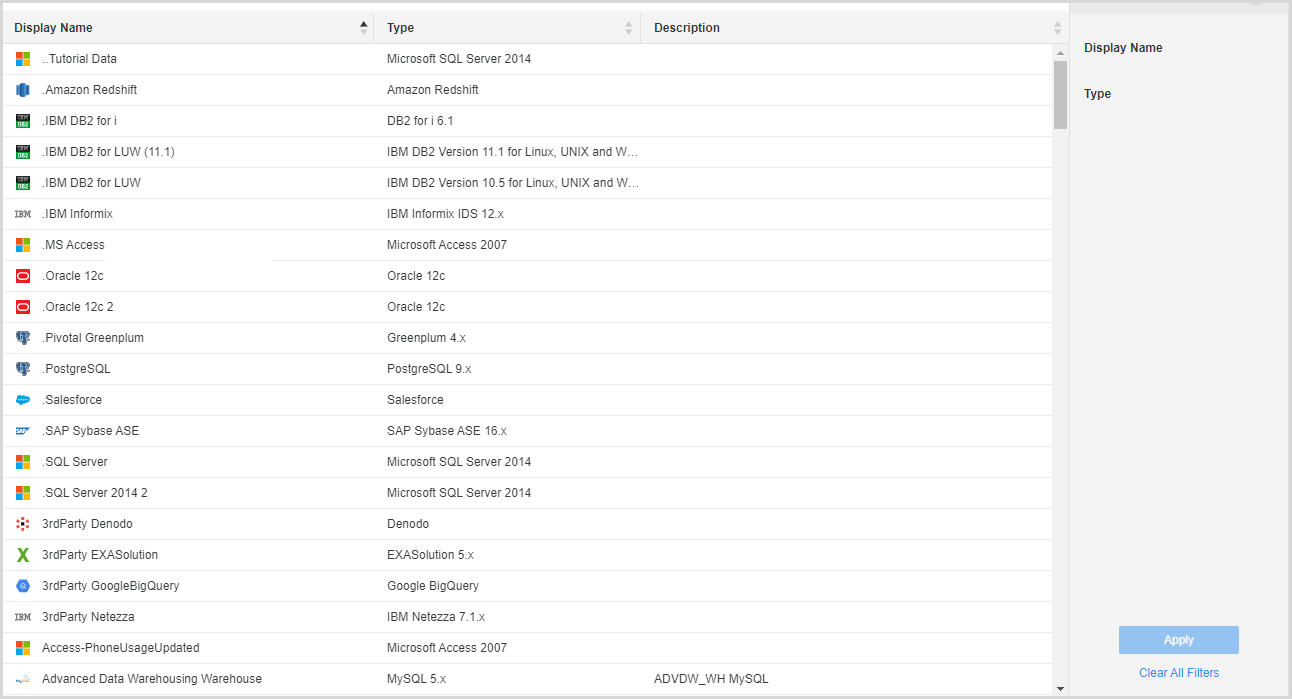
- Right-click a data source and choose Edit.
- In the Edit Data Source window, click the Convert to DSN-less button.
- Click Save.
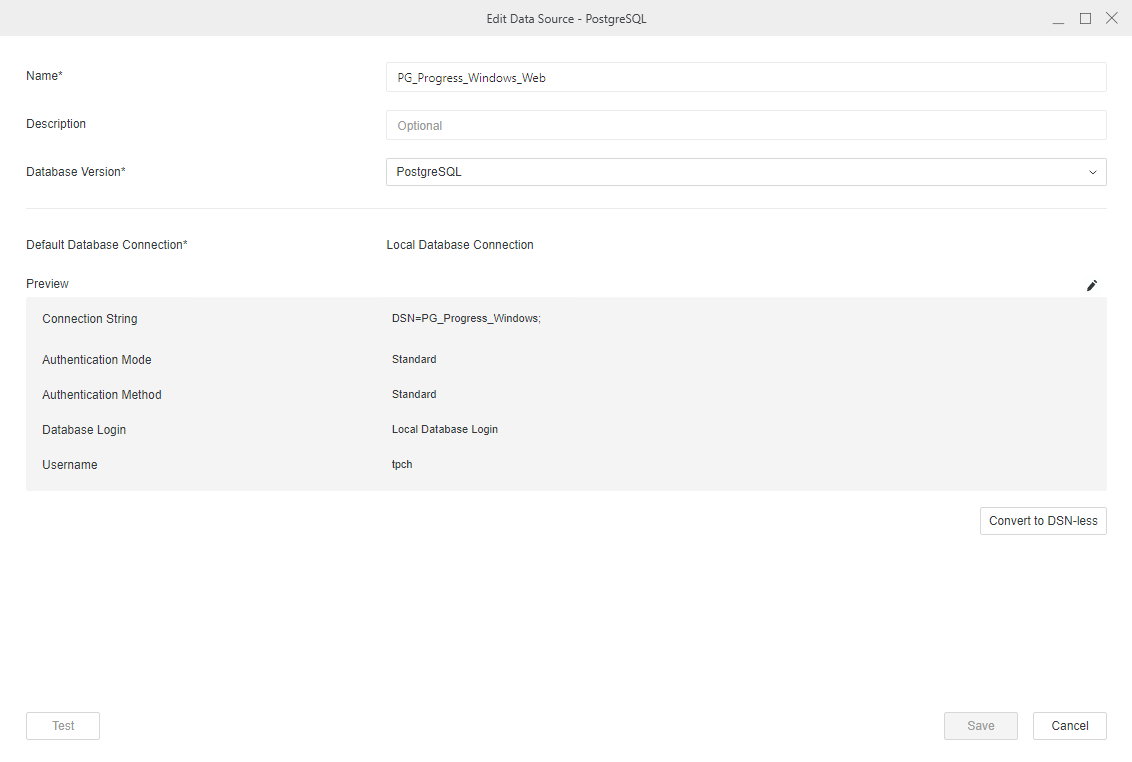
Once you click the Convert to DSN-less button, the data source converts, regardless of clicking Save.
You can also convert data sources using REST API and Scripts entry. For more information, see KB485854: Convert Data Sources Based on DSN to be DSN-Less Through REST APIs.
The following gateways are certified.
- Amazon Redshift
- Azure Synapse
- Cloudera Hive
- Cloudera Impala
- Exasol
- Google BigQuery
- IBM Dv2 for Linux, UNIX, and Windows
- MongoDB (Strategy suggests that you do not convert on this gateway as connectivity might fail)
- MySQL
- Oracle
- PostgreSQL
- Salesforce
- SAP HANA
- Snowflake
- Spark SQL
- SQL Server
- Teradata (Conversion is only supported on the Linux platform)