
Strategy ONE
Import Documents
Starting in Strategy One (March 2026), you can import individual graphs and grids from documents as images into PowerPoint.
Starting in Strategy One (December 2025), you can import documents as images into PowerPoint.
- Connect to the Strategy for Office add-in. Strategy for Office opens in a side panel.
- Select a starting slide.
- Click Import Data.
-
The import window displays which allows you to browse content in the Library Web view, where you can select a document from the smart view or Content Discovery.
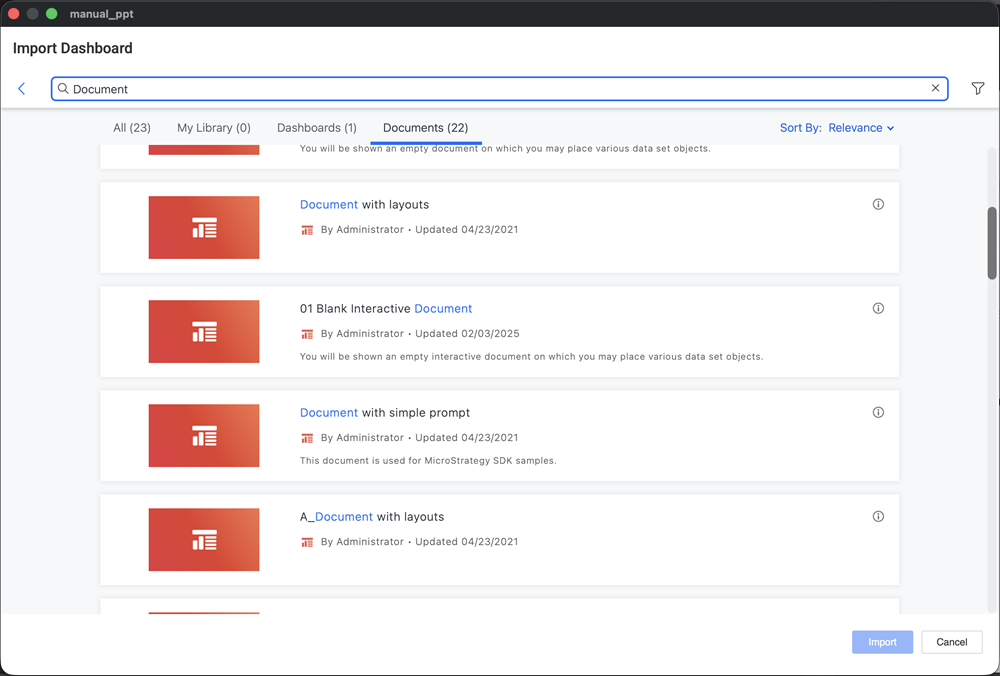
- Choose a document.
- Click Import.
-
Select the check box next to the layouts you want to include.
-
Click Import.
-
Each layout imports into the PowerPoint on a separate slide.
Expand the Show Details drop-down list to view details of the imported object.
Import Individual Graphs and Grids
- Connect to the Strategy for Office add-in. Strategy for Office opens in a side panel.
- Select a starting slide.
- Click Import Data.
- The import window displays which allows you to browse content in the Library Web view, where you can select a document from the smart view or Content Discovery.
- Select the individual graphs and grids you would like to import from the document.
- Click Import.
- The selected visualizations display on your slide.
- Click Add Data to add graphs and grids from other documents.
- Once all the graphs and grids display, click the check box for Select All and click on the refresh icon.
- The updated data for all visualizations displays.