
MicroStrategy ONE
Displaying widgets on iOS devices with a dark or light theme
On the iPad and iPhone, you can display widgets using a dark or light theme. To do this, change the theme of the document containing the widget. In the image below, the date selection widget on the left uses the dark theme, while the date selection widget on the right uses the light theme.
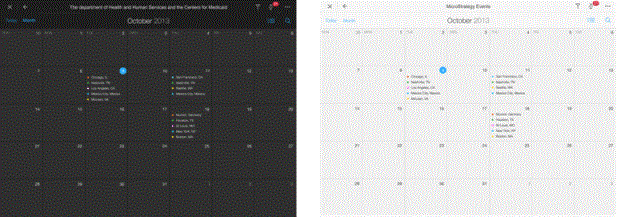
You can change the theme for the following widgets:
- Map
- Heat Map
- Time Series
- Date Selection
- Survey
- Microchart
For steps to change a document's theme, see Displaying documents on iOS devices with a dark or light theme.