
MicroStrategy ONE
Report Services documents
MicroStrategy Report Services documents are available with MicroStrategy Report Services. Dashboard-style documents are a display of data from multiple reports with special formatting added, with interactive components, and so on.
An example of a dashboard-style dashboard is shown below:
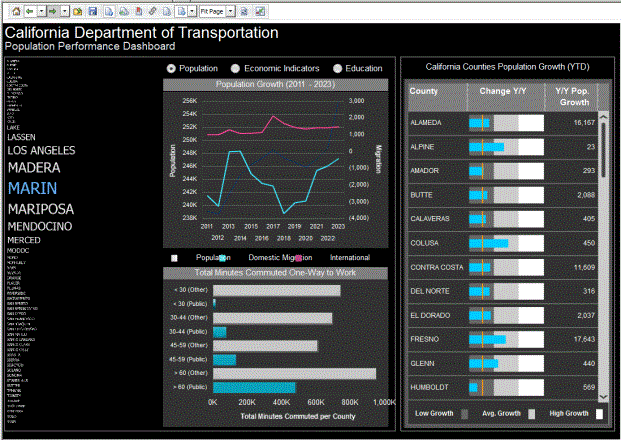
The example above shows the California Population Analysis document, a sample document in the MicroStrategy Tutorial project.
An example of a simple document is shown below:
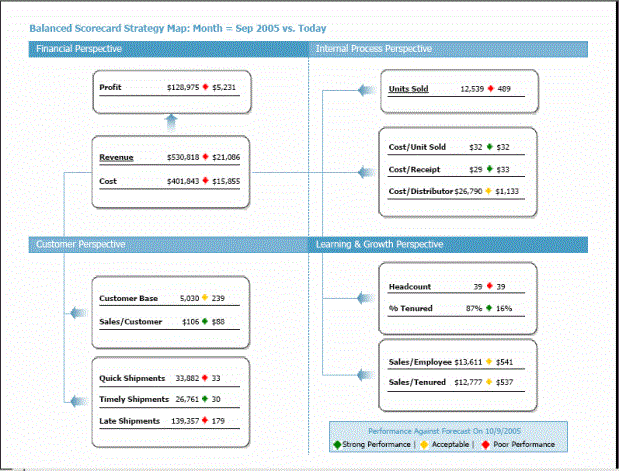
The image above shows the Balanced Scorecard Strategy Map document, a sample document in the MicroStrategy Tutorial project.
A document can contain data from one or more MicroStrategy reports. Documents can display in almost as many ways as you can imagine and are generally formatted to suit your business needs, in a single display of presentation quality. Documents allow you to display your business data in a user-friendly way that is suitable for presentation to management for boardroom-quality material.
To see sample documents in MicroStrategy Web
- Log in to the MicroStrategy Tutorial sample project. For steps, see Starting MicroStrategy Web.
- Click Shared Reports.
- Click the Enterprise Reporting Documents folder.
- Click any of the documents listed on the right side of MicroStrategy Web, to execute it and see the results.
To see sample documents in Developer
- Log in to the MicroStrategy Tutorial sample project. For steps, see Starting MicroStrategy Developer.
- Expand the Public Objects folder, then expand the Reports folder.
- Click the Enterprise Reporting Documents folder.
- Double-click any of the documents listed on the right side of Developer, to execute it and see the results.