MicroStrategy ONE
Metrics made up of metrics: Compound metrics
Certain types of metrics can only have a level, condition, or transformation applied to their constituent parts, not to the metric as a whole. These metrics are called compound metrics. If a metric contains any of the following elements, it is a compound metric and can only have levels, conditions, and transformations applied to its individual parts:
- A metric is a compound metric if it uses a non-group function, which includes OLAP functions and scalar functions. (For details on the all functions available in MicroStrategy, see the Functions Reference.)
- A metric is a compound metric if it consists of two or more existing metrics joined by an arithmetic operator (+, -, *, and /).
Each of these compound metric types is described with examples below.
One advantage of compound metrics compared to simple metrics is that compound metrics can use smart totals. Smart totals define the evaluation order for the final calculation. For more information on smart totals, see Totals and subtotals.
Compound metric with an arithmetic operator
The following example shows a compound metric that uses an arithmetic operator to create a metric formula out of existing metrics:
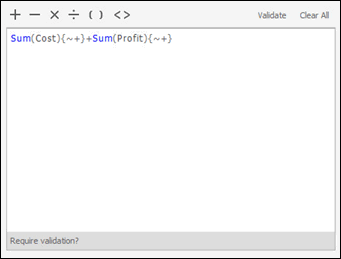
Sum(Cost) + Sum(Profit)
where Cost and Profit are metrics. The addition operator (+) between the two metrics makes this a compound metric.
The same metric is shown in the Formula Editor within the Metric Editor in the image below. It is a compound metric because it contains an arithmetic operator (+) that creates a formula out of two existing metrics, Cost and Profit. The level of the metric is indicated between curly braces ({ }) in the metric definition. {~+} denotes that the metric is calculated at the level of the lowest attribute on the report, which is the default calculation level for a metric. Each constituent metric has its own level, and you can change the default level for the individual metrics. No level exists for the entire compound metric as a whole.
Levels, conditions, and transformations cannot be set on a compound metric, although they can be applied separately on the constituent metrics that make up the compound metric. For more information on compound metrics and examples of compound metrics used in reports, refer to the Advanced Metrics chapter of the Advanced Reporting Help.
Compound metric with a non-group function
The following example shows a compound metric that uses a non-group function:
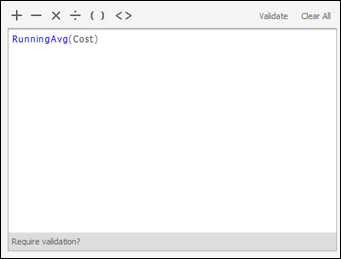
RunningAvg(Cost)
where Cost is a metric. The Cost metric is part of the definition of the RunningAvg(Cost) compound metric. The compound metric's formula contains a non-group function, Running Average.
The same metric is shown in the Function Editor within the Metric Editor in the image below. It is a compound metric because it contains a non-group function, Running Average. Because it uses a non-group function, the Function Editor displays the value list and parameters for the function, rather than level, condition, and transformation options. The Cost metric is the input value of the function.
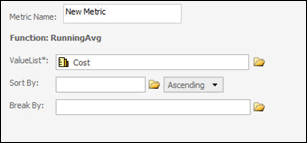
If you switch to the Formula Editor, you do not see the syntax for the level, as you did in the previous example (see Compound metric with an arithmetic operator). You do not use a level, condition, or transformation with a compound metric. You can apply a level, condition, or transformation to the Cost metric that is used in this compound metric, by editing the Cost metric.