
MicroStrategy ONE
Viewing data at different levels using drilling
Some MicroStrategy reports and documents allow you to view information at multiple levels. For example, a report displays data at the year level by default, but can also display data by quarter or month. If a report or document lets you drill to other levels, the Drill option appears in bold in the Info Viewer, as shown in the following image.
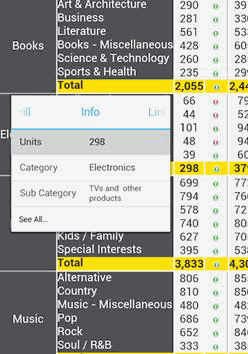
In the example above, tapping and holding Nov 2009 displays the Info Viewer for that month. To view the drill options for Nov 2009, tap Drill in the Info Viewer.
When you drill, and then navigate back to the initial report or document, the group-by, page-by, and layout settings that were selected in the initial report or document are preserved.
To perform the default drilling action for an object in the grid, tap it. For an introduction to drilling concepts, see the Basic Reporting Help.