
MicroStrategy ONE
Analyzing data on a calendar: Date Selection
Some documents may include an interactive calendar that lets you view events for every day of the month in either a Month, Week, or Day view. An example of a calendar in Month view is below:
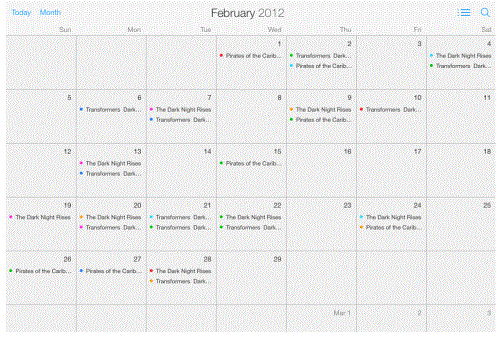
In the example above, the week starts on Sunday. If your device has a different day specified in the app setting Start Week On, that day will display in your calendar.
Depending on how the calendar is configured, you may be able to perform the following actions:
-
Tap an event to view additional information about it.
-
Tap Day, Week, or Month for different views of your data.
-
Events may be color-coded. To view a legend, tap the Legend button
 .
.