MicroStrategy ONE
Analyzing data at a glance: Microcharts
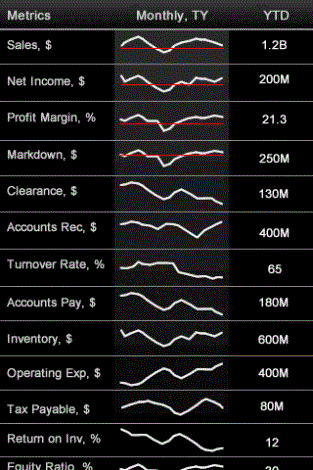
Some documents may contain a grid with miniature charts, called microcharts, that you can use to view trends in a metric's value at a quick glance. An example is shown below:
To analyze data with Microcharts
-
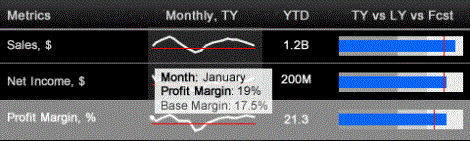
To view information about a data point in a graph, tap and hold your finger over it. A tooltip with more information appears, as shown below.
-
Drag your finger along the graph to view tooltips for each data point.
-
If some metric columns do not fit on the screen, swipe horizontally to view the other metric columns.
-
Depending on how the microchart was designed, you can sort the microchart based on one of its columns. Tap the title of the column to sort the rows in ascending order, based on the values in the column. Tap the title of the column again to sort in descending order. Tapping the title of the column a third time undoes the sort.