
Strategy ONE
Replace a Dataset
Starting in Strategy One (December 2025), you can use an unlinked and in-memory Mosaic model as a card's data source. A Mosaic model is a data model created with the AI-enabled Mosaic Studio to provide a flexible data infrastructure.
You can replace the dataset of your HyperIntelligence Card without losing your card design and derived metric definitions. You can select a new dataset, map attributes and metrics between the old and new dataset, handle derived metric definitions, and see the updated data on the card.
- Open an existing HyperIntelligence Card.
-
In the top left of the Card Editor, click Replace Dataset.
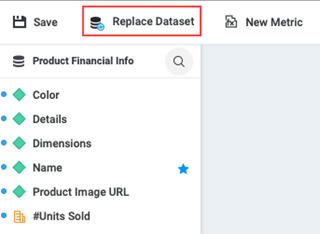
- Choose a new dataset by doing one of the following:
- To select an in-memory cube, click Datasets on the left.
- Starting in Strategy One (December 2025), to select a model, click Mosaic Models on the left.
- To navigate to another folder that contains your data source, click Projects on the left.
- Click Select.
-
In the Update Card Objects dialog, map attributes and metrics between the old and new datasets.
From the drop-down list, select the replacement attribute or metric, or choose Remove from card or Keep existing definition.
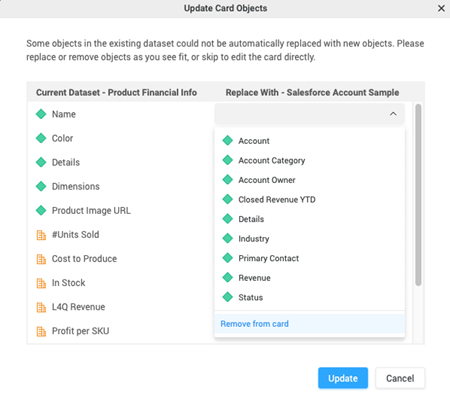
- Click Update.