Version 2021
Data Type Awareness
Currently MicroStrategy supports 21 out of 43 data types in PostgreSQL. See Data Types on the PostgreSQL site for a list of all data types supported by PostgreSQL.
DTMAPPING.PDS is used for data type mapping between MicroStrategy and various data sources. There are two major areas that need data type mapping in your MicroStrategy production environment:
-
Warehouse Catalog: Maps data types from the data source to MicroStrategy data types for catalog information display.
-
Datamart/temp table creation: Maps MicroStrategy data types to data source types and then writes back data to the data source.
The following data type mapping information is stored inside DTMAPPING.PDS.
-
MSI_TO_DB: Maps MicroStrategy data types to data source data types.
-
CATALOG_TO_MSI: Maps data source data types to MicroStrategy data types. The data source type is in numeric format or SQL_XXX style.
-
ABELL_TO_MSI: Maps data source data types to MicroStrategy data types. The data source type is in string format.
|
PostgreSQL Data Type |
MicroStrategy Data Type |
|---|---|
|
BIGINT |
BIG INTEGER |
|
BIGSERIAL |
BIG INTEGER |
|
BIT |
BINARY |
|
BIT VARYING |
VARBIN |
|
BOOLEAN |
BINARY |
|
BYTEA |
LONG VARBIN |
|
CHARACTER |
CHAR |
|
CHARACTER VARYING |
VARCHAR |
|
DATE |
DATE |
|
DOUBLE PRECISION |
DOUBLE |
|
INTEGER |
INTEGER |
|
MONEY |
NUMERIC |
|
NUMERIC |
DECIMAL |
|
REAL |
FLOAT |
|
TEXT |
LONG VARCHAR |
|
SMALLINT |
INTEGER |
|
SERIAL |
INTEGER |
|
SMALLSERIAL |
INTEGER |
|
TIMESTAMP WITHOUT TIME ZONE |
TIMESTAMP |
|
TIME WITHOUT TIME ZONE |
TIME |
|
TIMESTAMP WITH TIME ZONE |
TIMESTAMP |
Other unsupported data types are mapped to unknown data types. For these data types, MicroStrategy does not guarantee data accuracy.
You can check the data types retrieved by Microstrategy via Developer or Workstation/Web.
Check the Data Type Retrieved by MicroStrategy via Developer
-
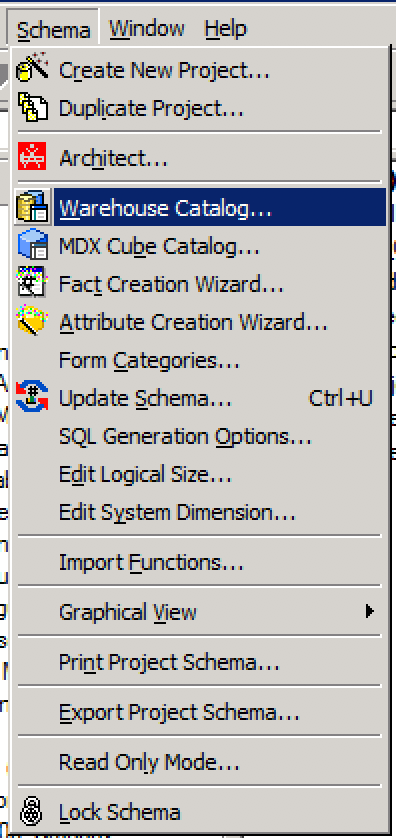
Choose Schema > Warehouse Catalog.
-
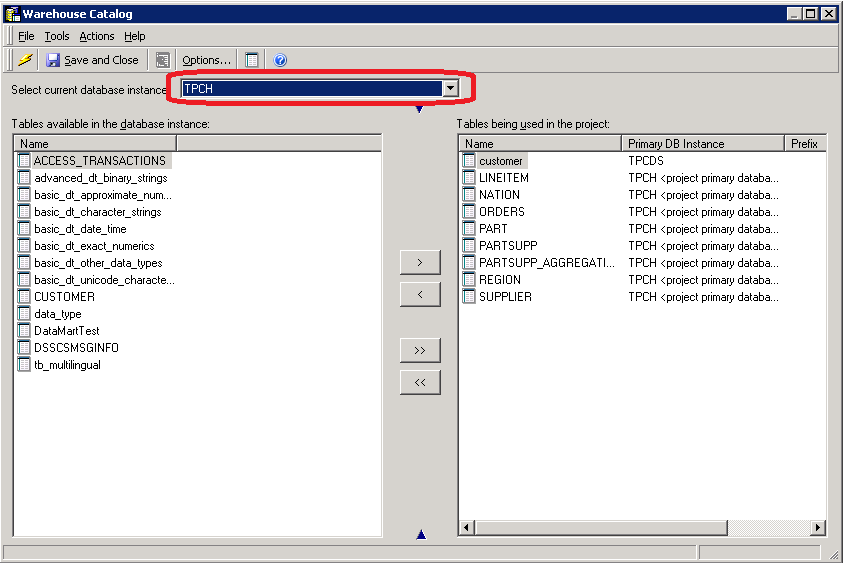
Choose the target database instance.
-
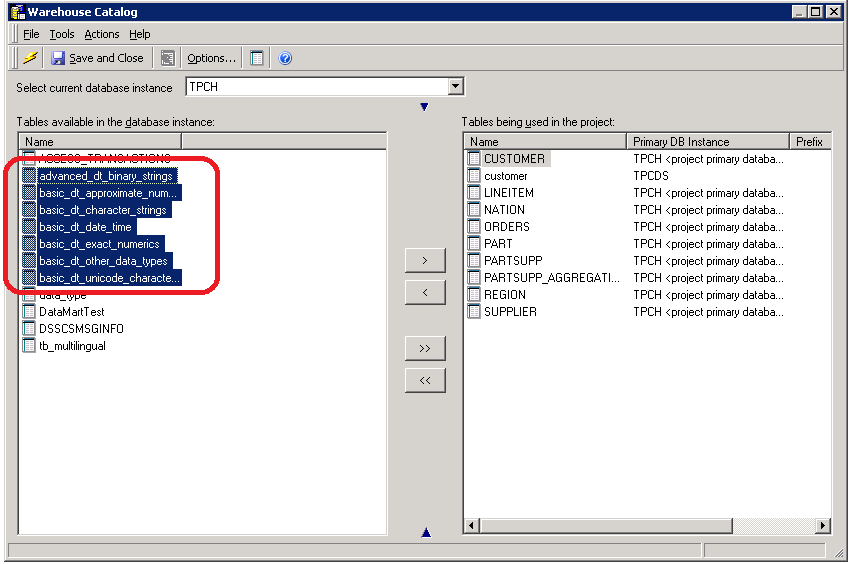
Choose the target tables and move them from the left to right panel.
-
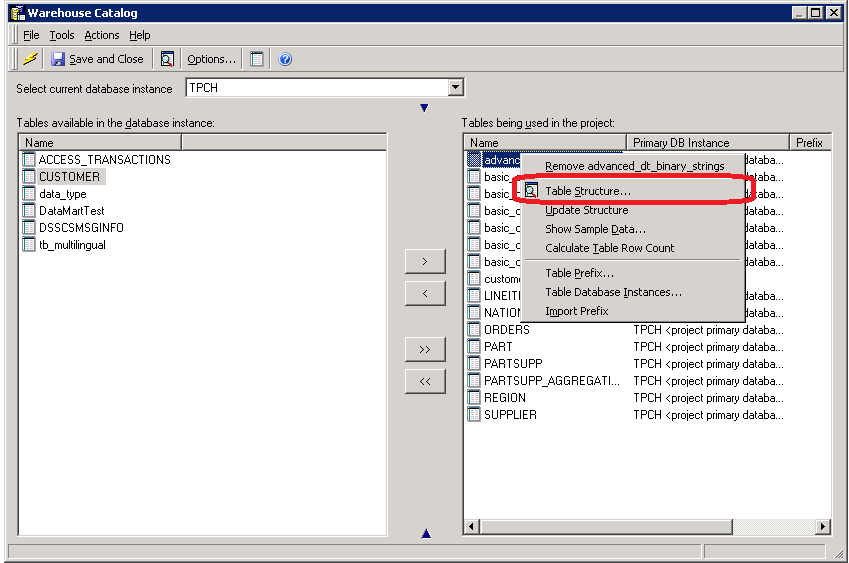
Right-click the target table and choose Table Structure.
-
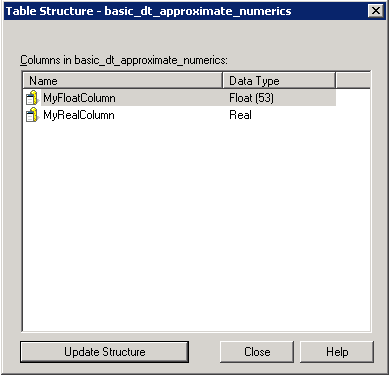
Check the table structure.
Check the Data Type Retrieved by MicroStrategy via Workstation or Web
-
Choose Add Data
 > New Data.
 -
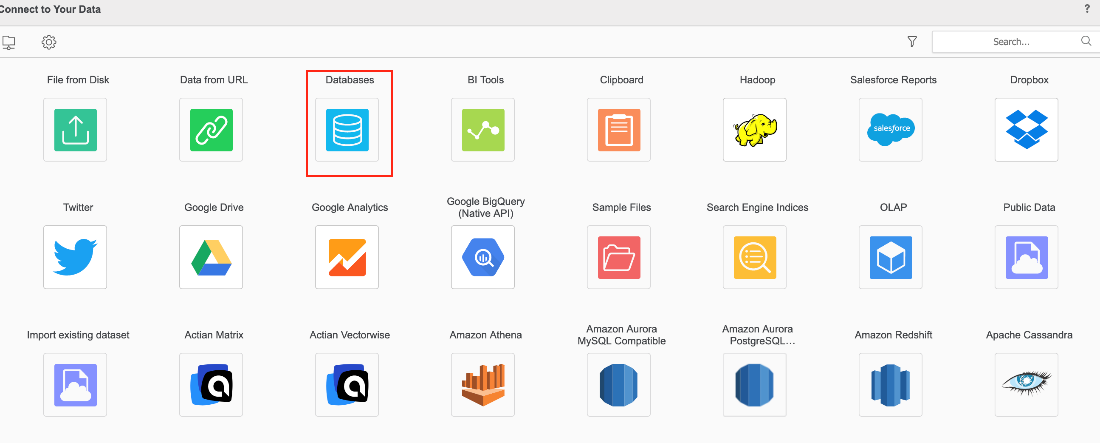
Click Databases.
-
Select Build a Query and click Next.
-
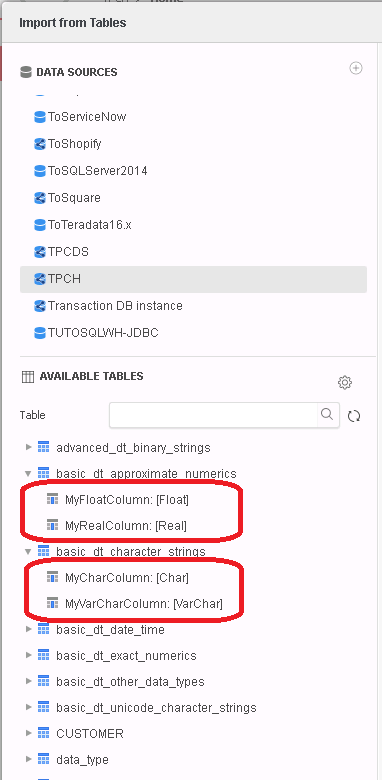
Choose the target database, namespace, and target table.