
Version 2021
Data Blending
No PostgreSQL specific customizations were made for this feature.
Data blending combines data from multiple datasets to look for data relationships and allows you to answer a specific question in a document or dossier. Most of the MicroStrategy's semantic layer object can be from different datasets and provide the resulting data with data join or other expressions. You can also use numerous data sources.
There are two primary scenarios when it's recommended to use data blending from multiple data sources:
- Related columns are linked from different datasets.
- Columns were not linked, so there is not obvious correlation between datasets.
Linked Attributes
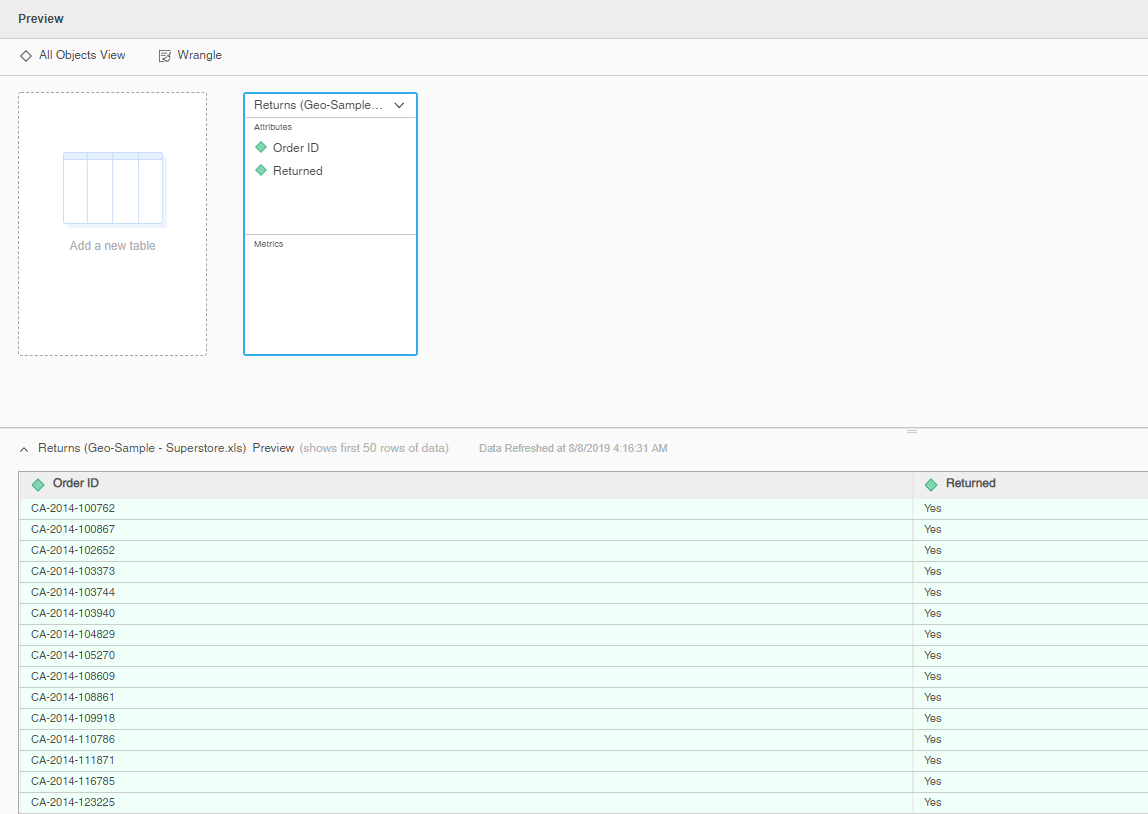
This business user scenario is about a sales record and order returned by a customer. The lookup table is the order return table, which is imported as an in-memory cube named DataBlendingLookUpTable.
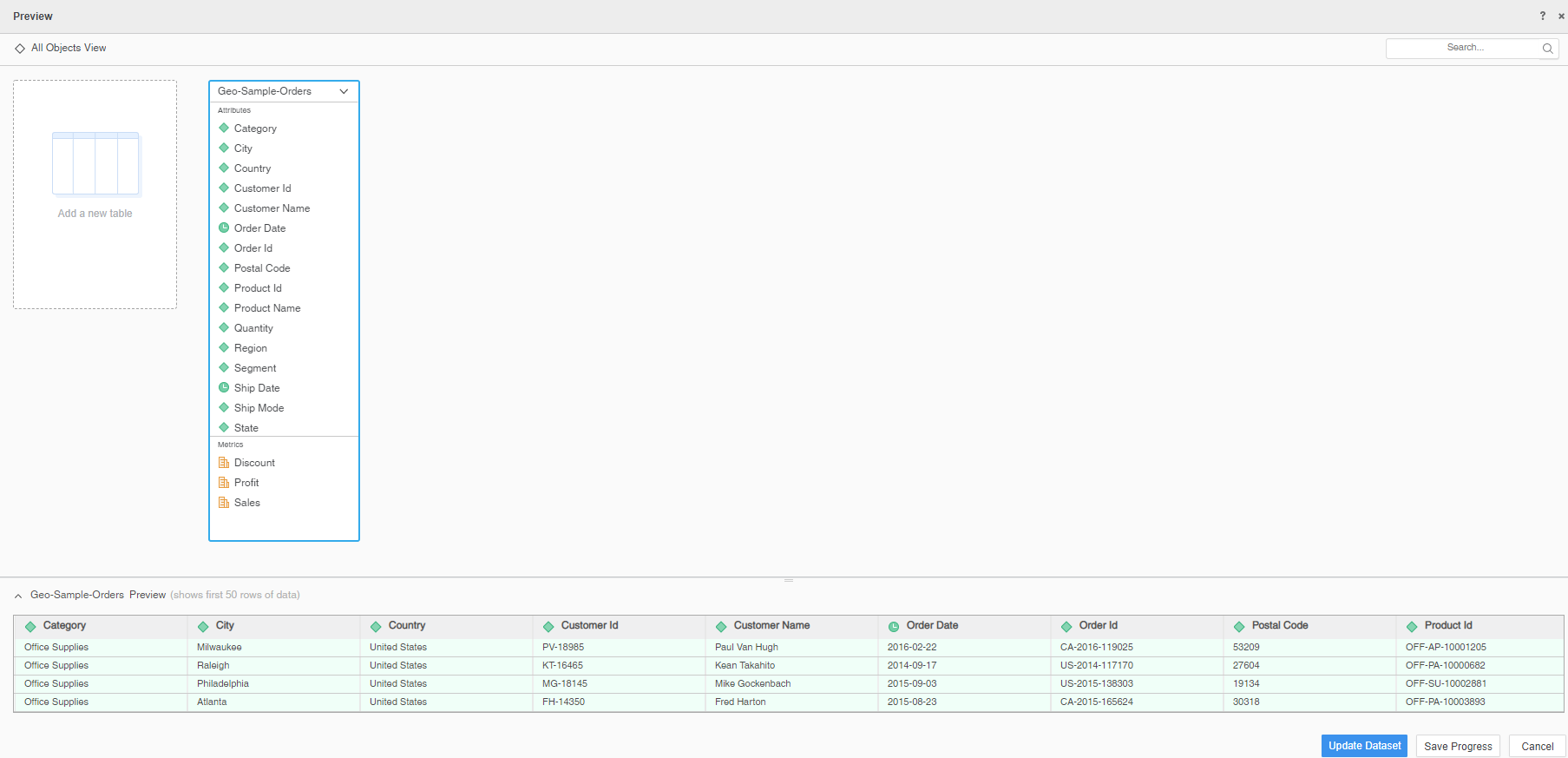
The fact table is an order history table from a database with a live connect cube named Geo-orders.
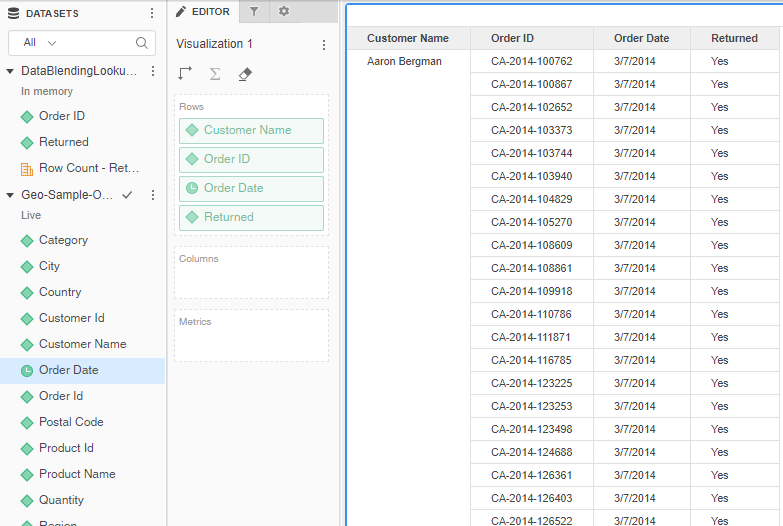
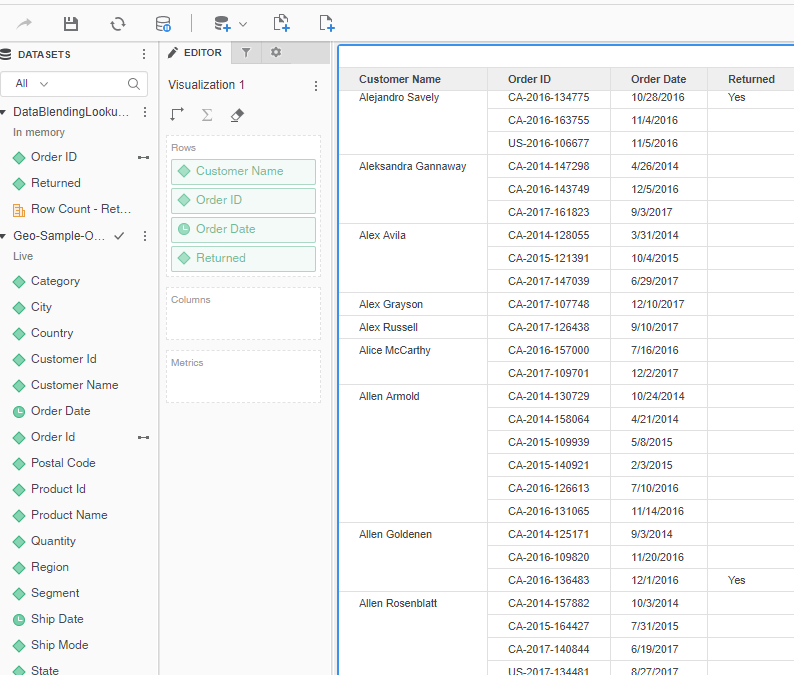
In both datasets, there is an Order ID attribute. By default, these two attributes are not linked. When you put one of the Order ID attributes in a grid, it uses cross join by default.
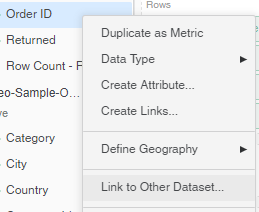
To link the two attributes, right-click one of the Order ID attributes and click Link to Other Dataset. Select the Order ID attribute from the other dataset.
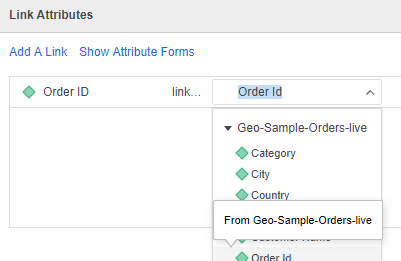
Now that the attributes are linked, MicroStrategy can blend the data from the two different sources using the correct left outer join on Order ID.
Join Across Datasets
In the following example, there are three datasets that don’t have linked attributes and have no common columns in the table schema. Since the three datasets are used in this dossier, data blending is required. Since there are different datasets involved, a join between different datasets is critical to show the correct data.
There is one VLDB property in MicroStrategy that controls the join behavior between different datasets. This setting is called Join Across Datasets. This property determines how values for metrics are calculated when unrelated attributes from different datasets of a dossier or document are included with metrics. You can configure this setting in Developer.
The Join Across Datasets VLDB property has two additional options:
- Disallow joins based on unrelated common attributes: By default, data is not joined for unrelated attributes that are included on the same dataset. This option is to support backward compatibility.
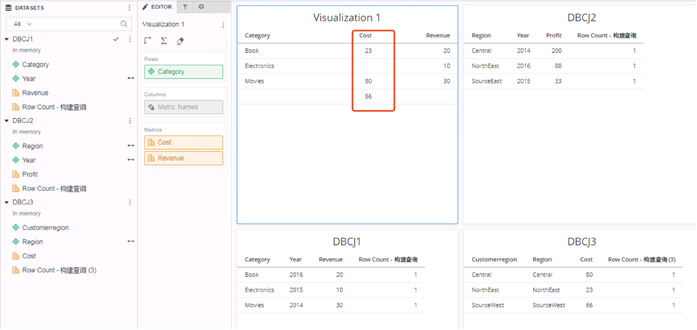
This option disallows joins based on unrelated common attributes, so if you add two metrics from two different datasets, the result appear as shown below. Since the option to do cross joins is disabled, this allows a DBCJ2 and DBCJ3 join on Region and then join with DBCJ1 on Year to get the Category and Cost.
-
Allow joins based on unrelated common attributes: Data is joined for unrelated attributes that are included on the same dataset. This can allow metric data to consider unrelated attributes on the same dataset to logically combine the data, and thus provides results that are more accurate and intuitive in most cases.
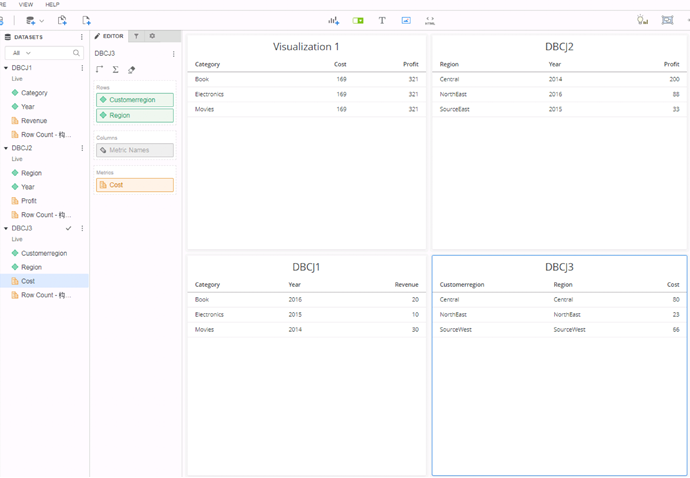
If you allow joins based on unrelated common attributes, the result is similar to that shown below. MicroStrategy does a cross join based on the two datasets (DBCJ1 and DBCJ3) and then aggregates on the Cost metric.
How to Modify the Join Across Datasets VLDB Property
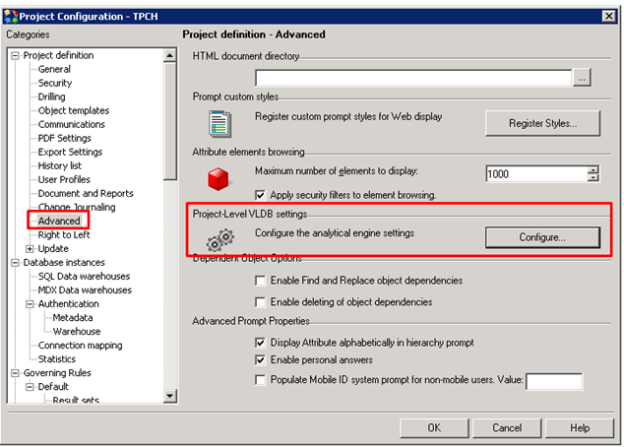
- In Developer, open Project Configuration.
- Go to Project Definition > Advanced.
- Under Project-Level VLDB settings, click Configure.
- Open the Metrics folder and select Join Across Datasets.
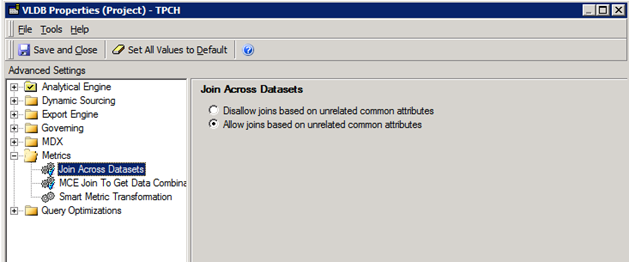
- Select one of the two join behaviors.
- Click Save and Close.
- Click OK in Project Configuration.