
Version 2021
Catalog for Columns in a Table
The following query is for columns in a table:
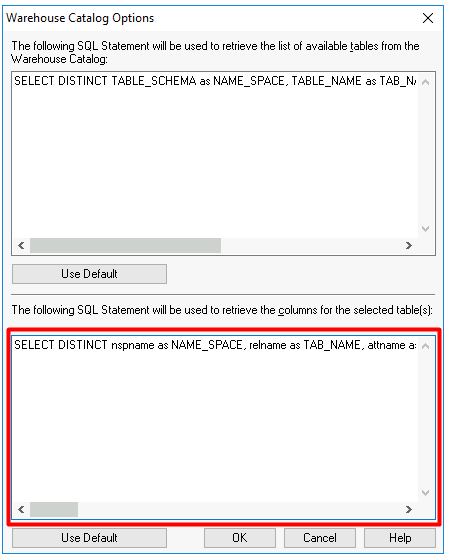
SELECT DISTINCT nspname as NAME_SPACE, relname as TAB_NAME, attname as COL_NAME, typname as DATA_TYPE, COALESCE(B.CHARACTER_MAXIMUM_LENGTH, attlen) as DATA_LEN, NUMERIC_PRECISION as DATA_PREC, NUMERIC_SCALE as DATA_SCALE FROM pg_attribute A JOIN pg_class C ON A.attrelid = C.oid JOIN pg_namespace N on C.relnamespace = N.oid JOIN pg_type T on A.atttypid = T.oid JOIN INFORMATION_SCHEMA.COLUMNS B on A.attname = B.COLUMN_NAME AND C.relname = B.TABLE_NAME AND N.nspname = B.TABLE_SCHEMA WHERE relname IN (#TABLE_LIST#) AND attnum > 0 Order by 1,2,3 You can modify the default SQL query using Workstation, Web, or Developer. This setting has a different impact depending on where it is located, as explained further below.
Catalog for Columns in a Table via Developer
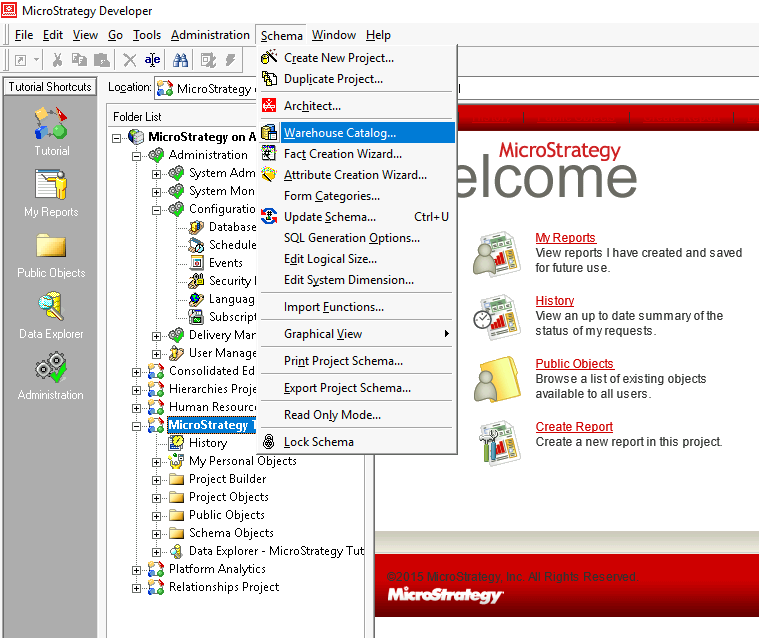
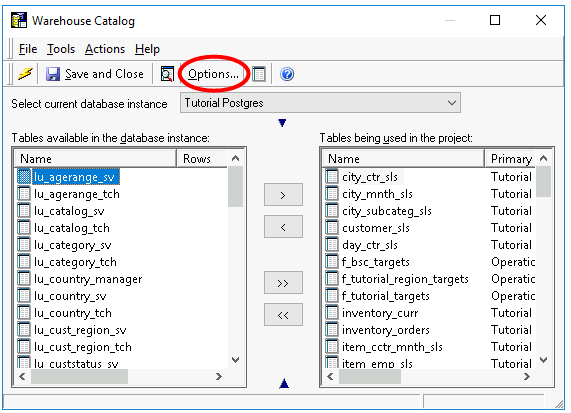
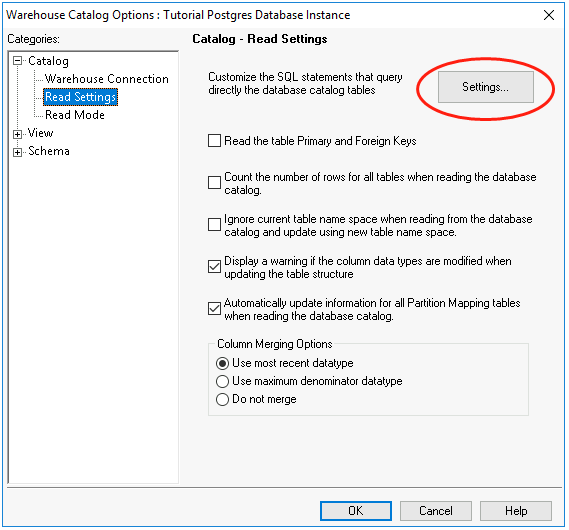
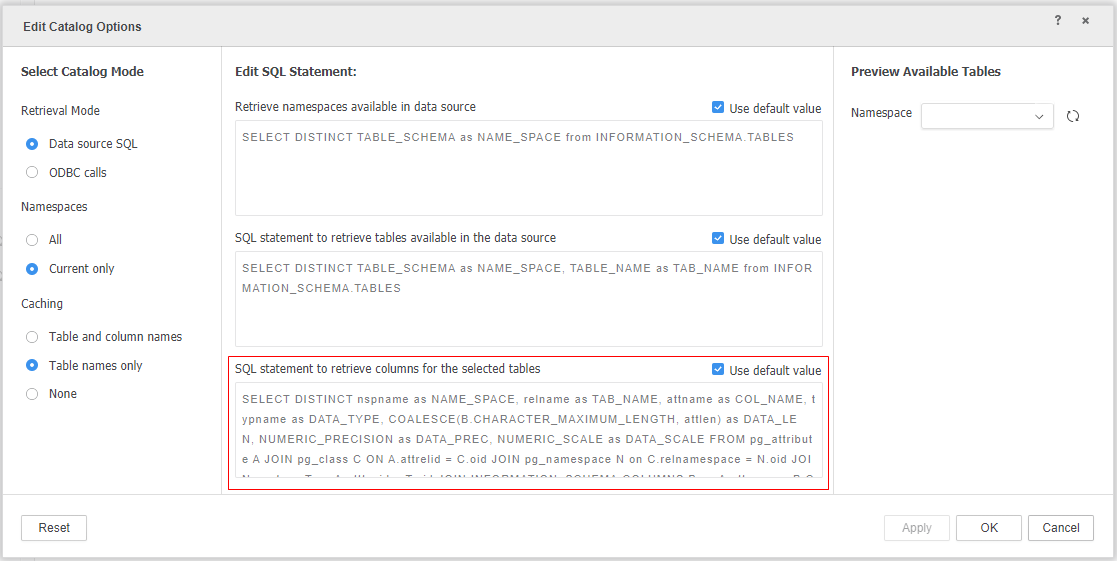
Modify the default SQL statement to retrieve columns as shown below. Changes to the default SQL statement impact column retrieval for the project schema.
Catalog for Columns in a Table via Workstation or Web
Under Retrieval Mode, select Data source SQL to allow the default SQL statement to retrieve tables available in the data source. Changes to the SQL statement impact column retrieval for data import.
See Catalog for a List of Tables for more information about retrieval mode and caching.