Version 2021
Aggregation
No PostgreSQL specific customizations were made for this feature.
MicroStrategy uses optimized SQL to query the relational database directly to answer a user’s question. The disadvantage of this relational OLAP (ROLAP) methodology is that accessing large fact tables can be time-consuming. To address this, you can use the aggregate tables to provide quicker access to frequently accessed data while still retaining the power to answer any query.
How to Use an Aggregated Table in an Existing Project
-
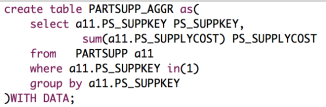
Create an aggregated table in the database to store the frequently-accessed data.
- Add the aggregated table to the project using the warehouse catalog.
-
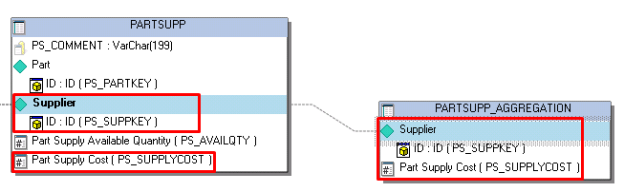
While creating a fact expressions and attribute form expressions, ensure you link the original table with the aggregated table.
- Create a report and add the desired metrics and attributes.
If the structure of the aggregated table is consistent with the base fact table, Architect automatically adds it to the definitions of existing attributes and facts. Architect determines whether it should use the aggregate table over the base fact table based on the logical table size.
Example
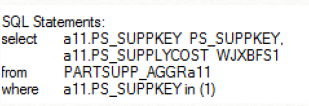
Before an aggregated table is used in a project, the report SQL in Developer is:
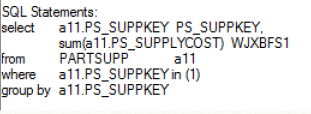
After adding the aggregated table into the architecture and creating the consistent attribute and metric on the aggregation table PARTSUPP_AGGR, the report SQL is: