
MicroStrategy ONE
Analyzing trends at a glance: Microcharts widget
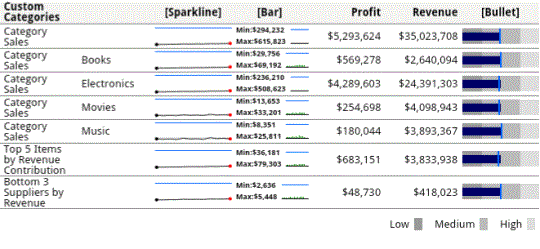
The Microcharts widget lets you visualize trends in a metric's value at quick glance. An example of the Microcharts widget on an Android tablet is shown below:
To analyze data with the Microcharts widget
-
To view information about a data point in a graph, tap and hold your finger over it. A tooltip with information is displayed.
-
Drag your finger along the graph to view tooltips for each data point.
-
To expand all of the elements in tree mode, pinch open over the collapsed categories.
-
To collapse all of the elements in tree mode, pinch close over the expanded categories.